The Approvals page (/dashboard/approvals) collects items waiting for your review or signature — leave requests, Covenant / document signatures, and employee profile-update approvals. A checklist icon in the navbar shows a badge when total > 0.
Please note:
- The hub only lists work you can already act on. There is no separate “approvals hub” permission — empty means nothing is pending for you.
- Leave-specific queues still live under Leaves → Approvals for deeper leave workflows — see Leave requests and approvals.
- If one source fails to load, a soft warning appears (“Some approvals may be unavailable”) while others still show.
Open Approvals
- Click the Approvals checklist in the top navbar, or open Approvals from navigation when available
- Filter by All, Leave, Documents, or Profile updates
- Search or filter by requester as needed
- Open a row to Approve / Reject (or complete the signature) in the detail sheet
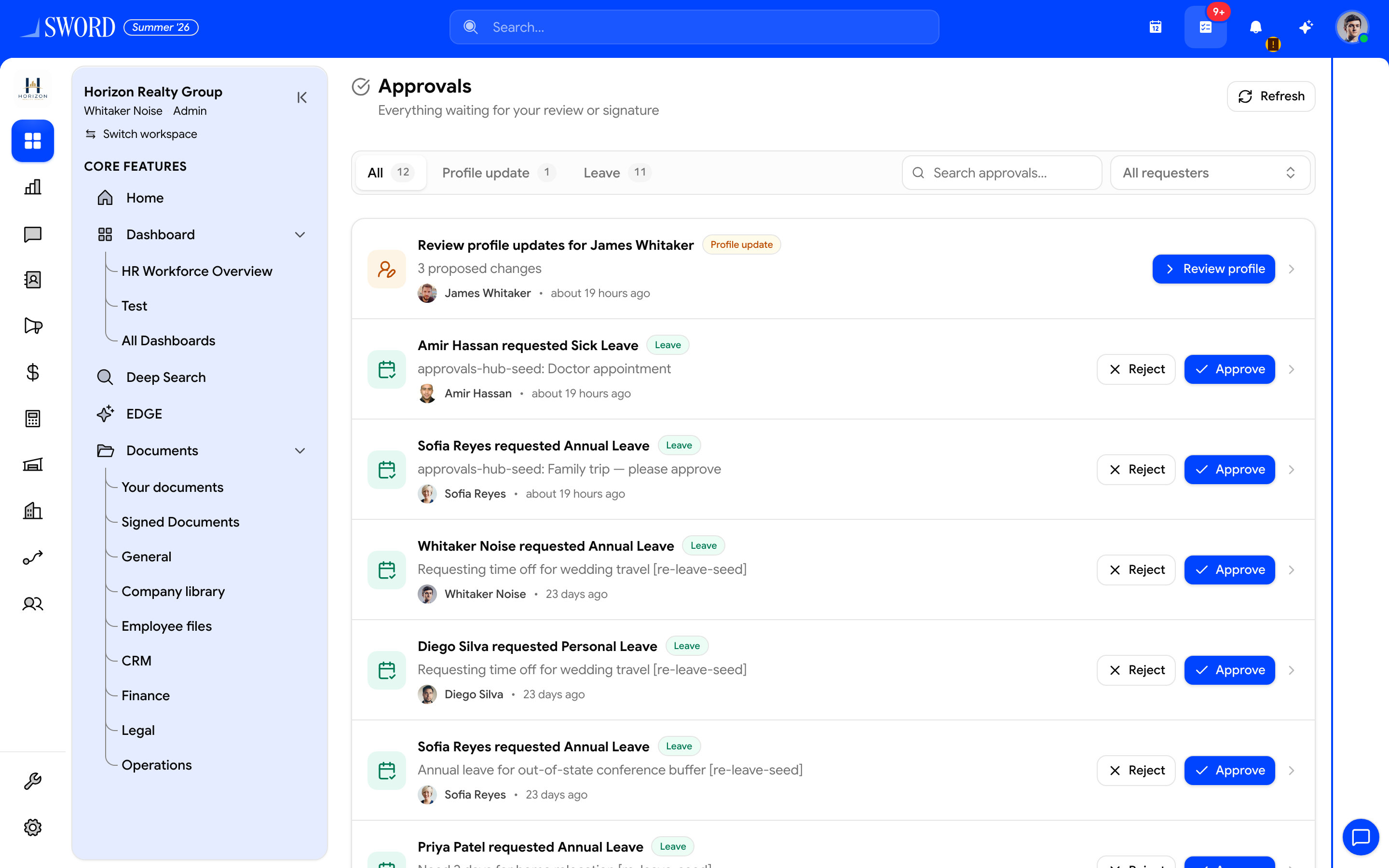
- Switch All, Leave, Documents, or Profile updates
- Search or filter by requester
- Profile updates open a review sheet of proposed field changes
- Leave rows expose Approve / Reject inline
flowchart TB
  Badge[Navbar badge] --> Hub[Approvals inbox]
  Hub --> Leave[Leave requests]
  Hub --> Docs[Document signatures]
  Hub --> Profile[Profile update approvals]
  Leave --> Act[Approve or reject]
  Docs --> Act
  Profile --> Act
What appears here
| Source | Typical action | Related guide |
|---|---|---|
| Leave | Approve or reject time off | Leave requests and approvals |
| Documents | Sign or complete Covenant packets you were assigned | Covenant e-signatures |
| Profile updates | Approve self-service profile edits (Review profile updates for {name}) | Limit employee sections, fields, and self-edit approval |
Profile updates appear when a role has Edit own employee profile with Require approval (direct manager, specific user, or everyone in the department). Approvers can also Approve / Reject from the employee profile (Field / Current / Requested).
Tips
- Clear the badge by acting on pending items — dismissals alone do not remove work that still needs a decision
- Managers who only approve leave can keep using Leaves → Approvals; the hub is the cross-module shortcut
- Signed copies of completed Covenant PDFs also appear under Documents drive → Signed Documents when you were a signer