FMCG reporting targets fast-moving consumer goods teams — van sales, modern trade, and route-based distribution — with metrics tied to FMCG customers, zones, stock, and logistics modules.
Please note:
- Enable related operational modules before expecting full report coverage — missing data sources show empty sections rather than errors.
- Route and rep metrics depend on Salesmen portal adoption and accurate visit logging.
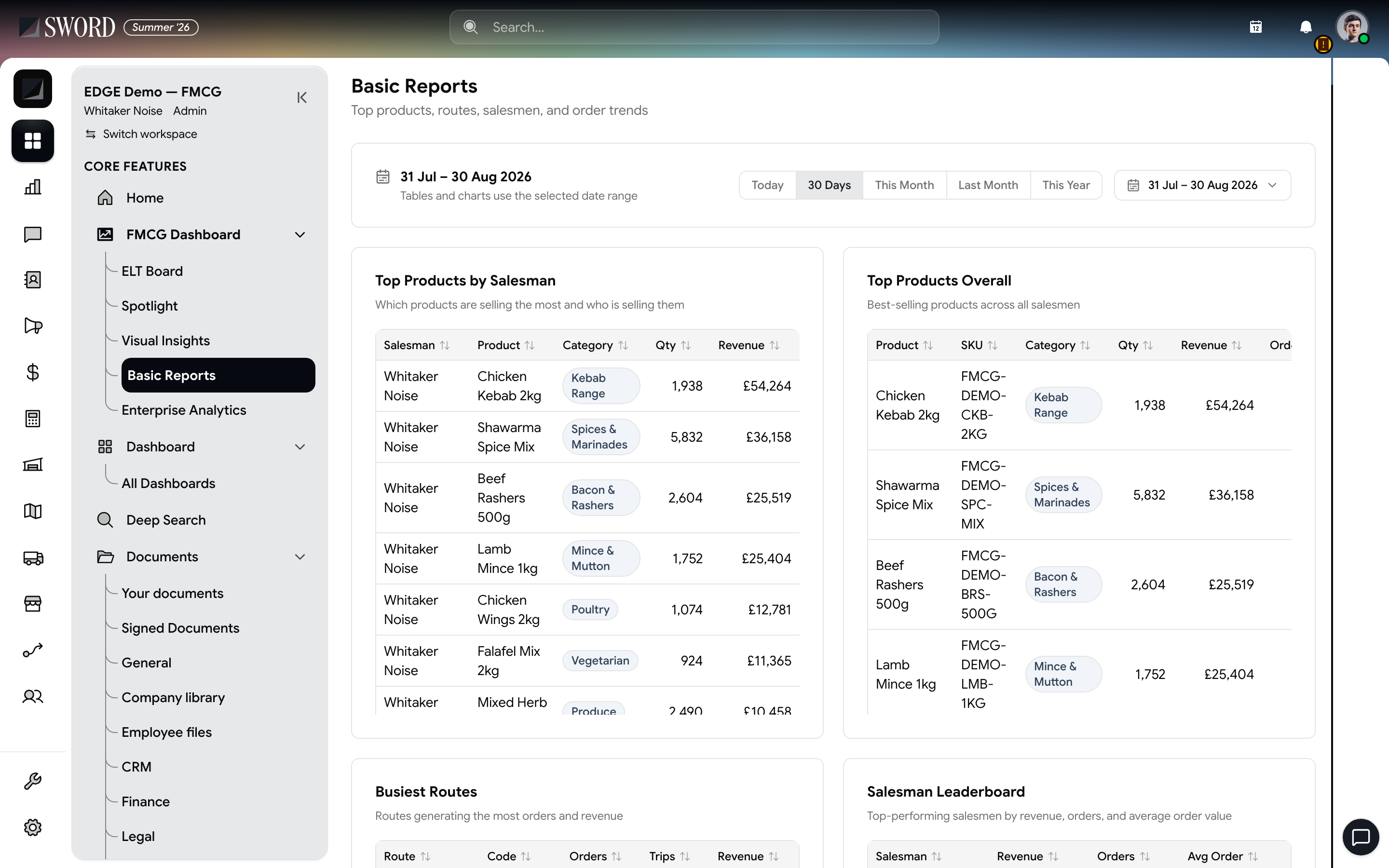
- Open FMCG Dashboard → Basic Reports (FMCG tenants)
- Set the date preset or custom range
- Top products by salesman and overall SKU velocity
- Busiest routes and salesman leaderboard
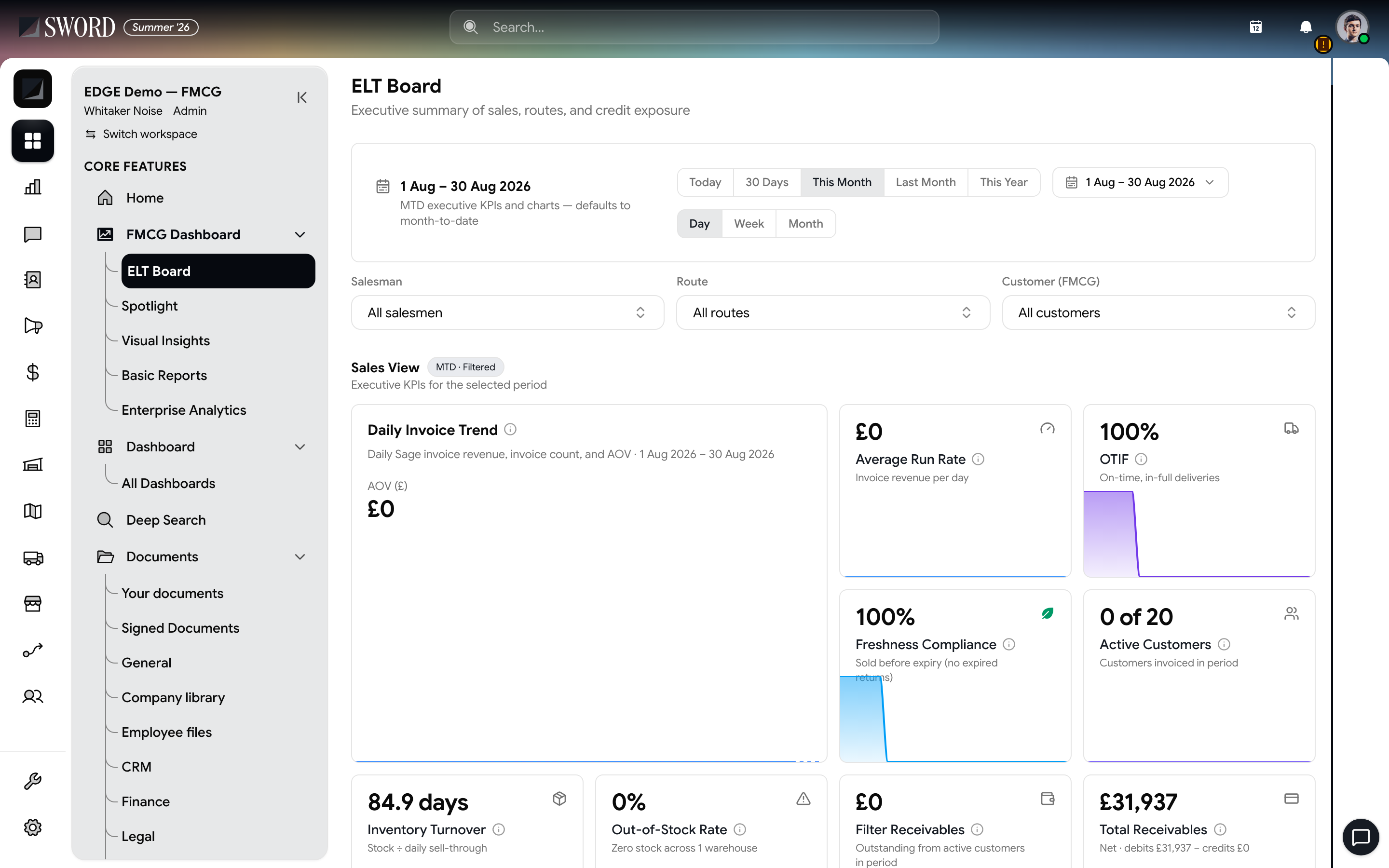
- Open ELT Board for the executive sales summary
- Filter by period, salesman, route, and customer
- OTIF, freshness, inventory, and receivables cards
Core report families
| Report | Metrics | Depends on |
|---|---|---|
| Route coverage | Visits planned vs completed | Salesmen, zones |
| SKU velocity | Units sold by SKU and period | Orders, stock |
| Customer compliance | Must-stock lists, facings | FMCG customers |
| Distributor ledger | Outstanding and collections | Finance, credit control |
| Territory heat | Sales by zone and rep | Live map optional |
Enable related operational modules before expecting full report coverage — missing data sources show empty sections rather than errors.
Run FMCG reports
- Confirm FMCG reporting and supporting modules are enabled
- Open Reporting → FMCG (or the FMCG section under Reports)
- Set date range, zone, and product filters
- Export to CSV or schedule delivery when scheduling is configured
Align fiscal periods with finance close so revenue and distribution numbers reconcile.
Data flow
flowchart TB
  Field[Field orders and visits] --> Ops[FMCG customers and zones]
  Ops --> Stock[Stock movements]
  Stock --> FMCG[FMCG reporting engine]
  Finance[Invoices and credit] --> FMCG
  FMCG --> Dash[Dashboard and exports]
Review top SKUs and underperforming routes weekly; pair with Salesmen portal adoption metrics to spot reps who need coaching. Roll up distribution KPIs alongside workspace Read your dashboards and reports.