Assignment pools group people who can receive inbound leads. Manage them from Fields → Leads (Assignment Pools section), then select those pools in Lead Distribution and the import distribute step.
Please note:
- System pools (such as general) cannot be deleted like custom pools — they exist for default routing.
- Empty or inactive pools break round-robin; keep membership current when people join or leave.
- Pools can limit visibility to specific users when your workspace uses that control.
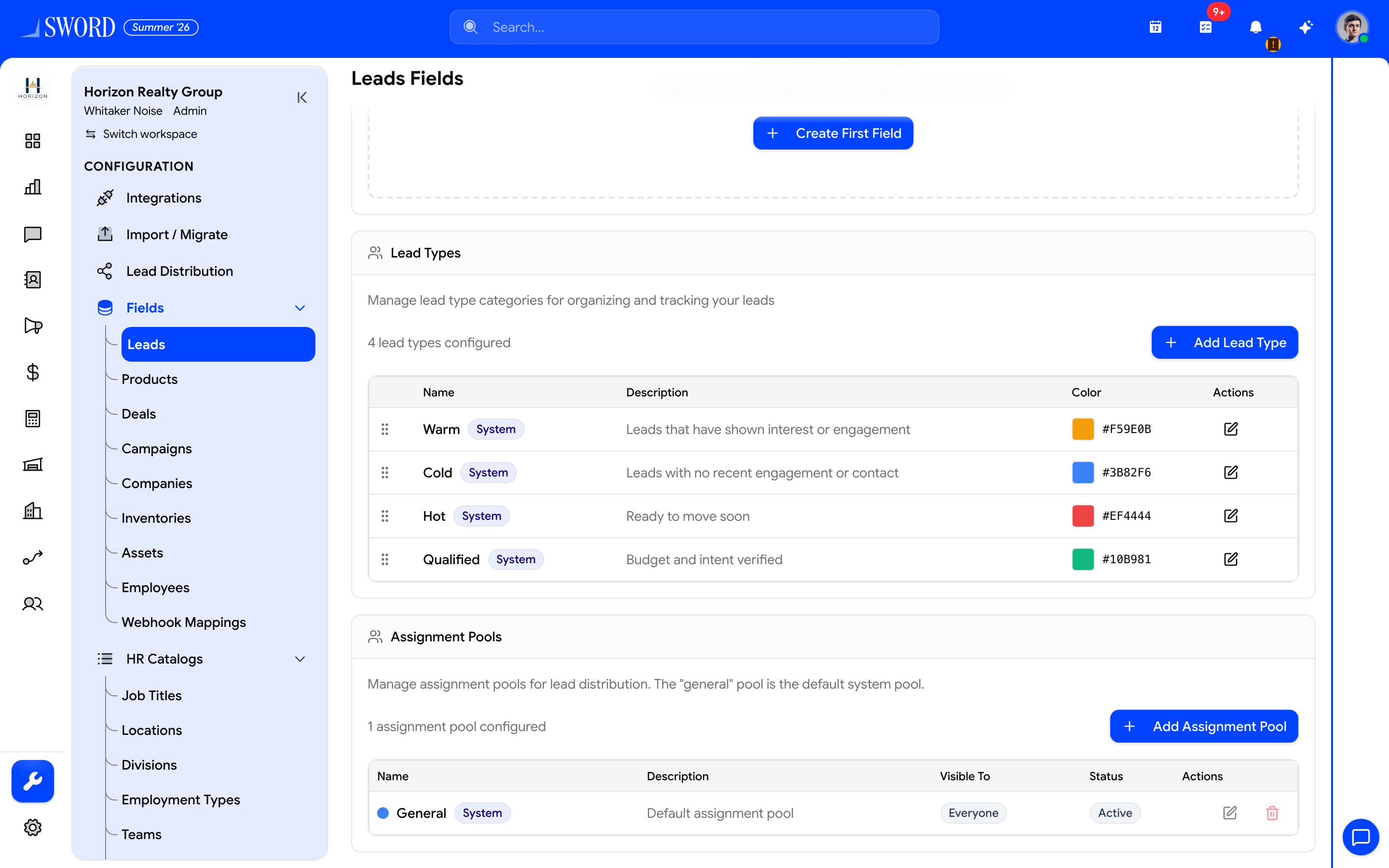
- Open Configuration → Fields → Leads
- Create or edit pools used by Lead Distribution and import
Create or edit a pool
- Open Fields (Configuration sidebar) → Leads tab.
- Find Assignment Pools.
- Click New (or edit an existing row).
- Set display name, description, color, and order.
- Choose members / visibility as prompted.
- Save — the pool appears in Lead Distribution selectors.
Tips
| Tip | Why |
|---|---|
| One pool per motion | Inbound vs partner vs enterprise rotations stay separate |
| Align with teams | Prefer pools that mirror how managers coach reps |
| Test before go-live | Use Lead Distribution Test and robin-pool preview |
See Configure lead distribution and Custom fields.