Projects organize capital expenditure, renovations, and development work. Tie projects to assets and finance modules so spend and outcomes stay visible in one place.
Please note:
- Budget and actuals only reconcile when Finance is enabled and entries are tagged to the project.
- Link affected assets in Manage assets before closing milestones so maintenance history stays traceable.
- Portfolio KPIs appear in Read your dashboards and reports when reporting modules are on.
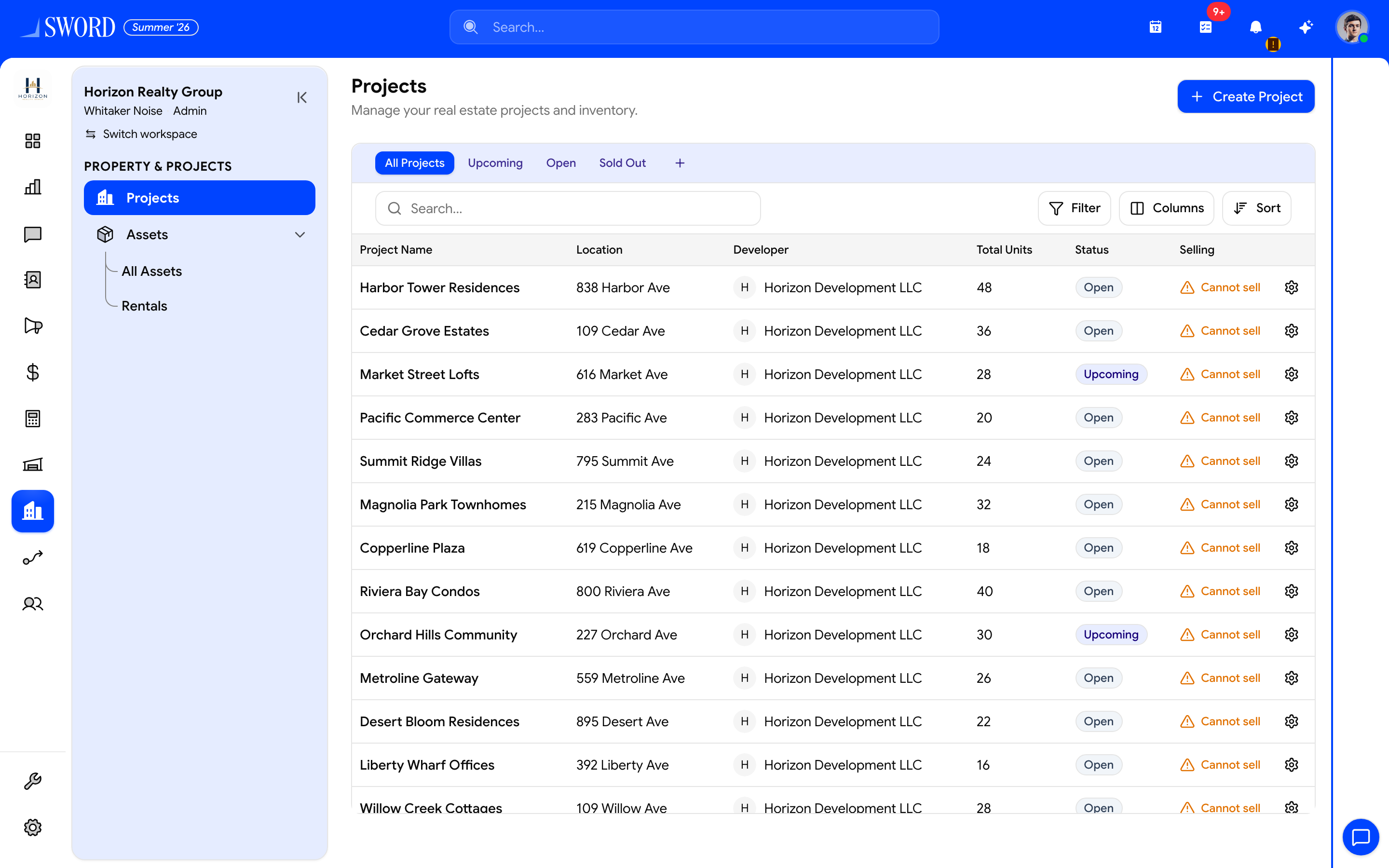
- Open Property → Projects
- Start with + Create Project
- Filter All / Upcoming / Open / Sold Out
- Open a project for units, location, developer, and status
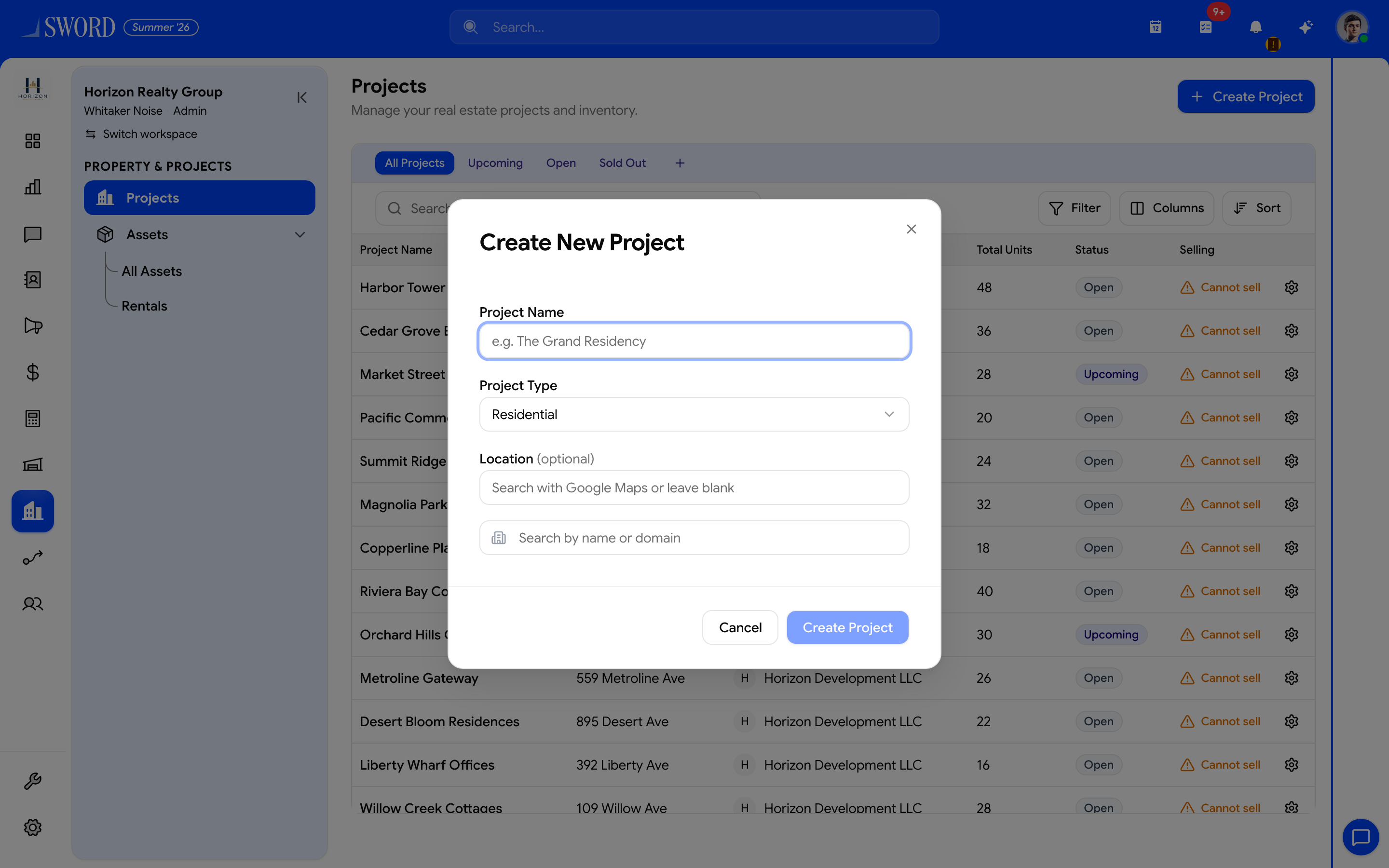
- Name the development (e.g. The Grand Residency)
- Choose project type (Residential, …)
- Optional map location and developer/organization
- Save to open the project workspace
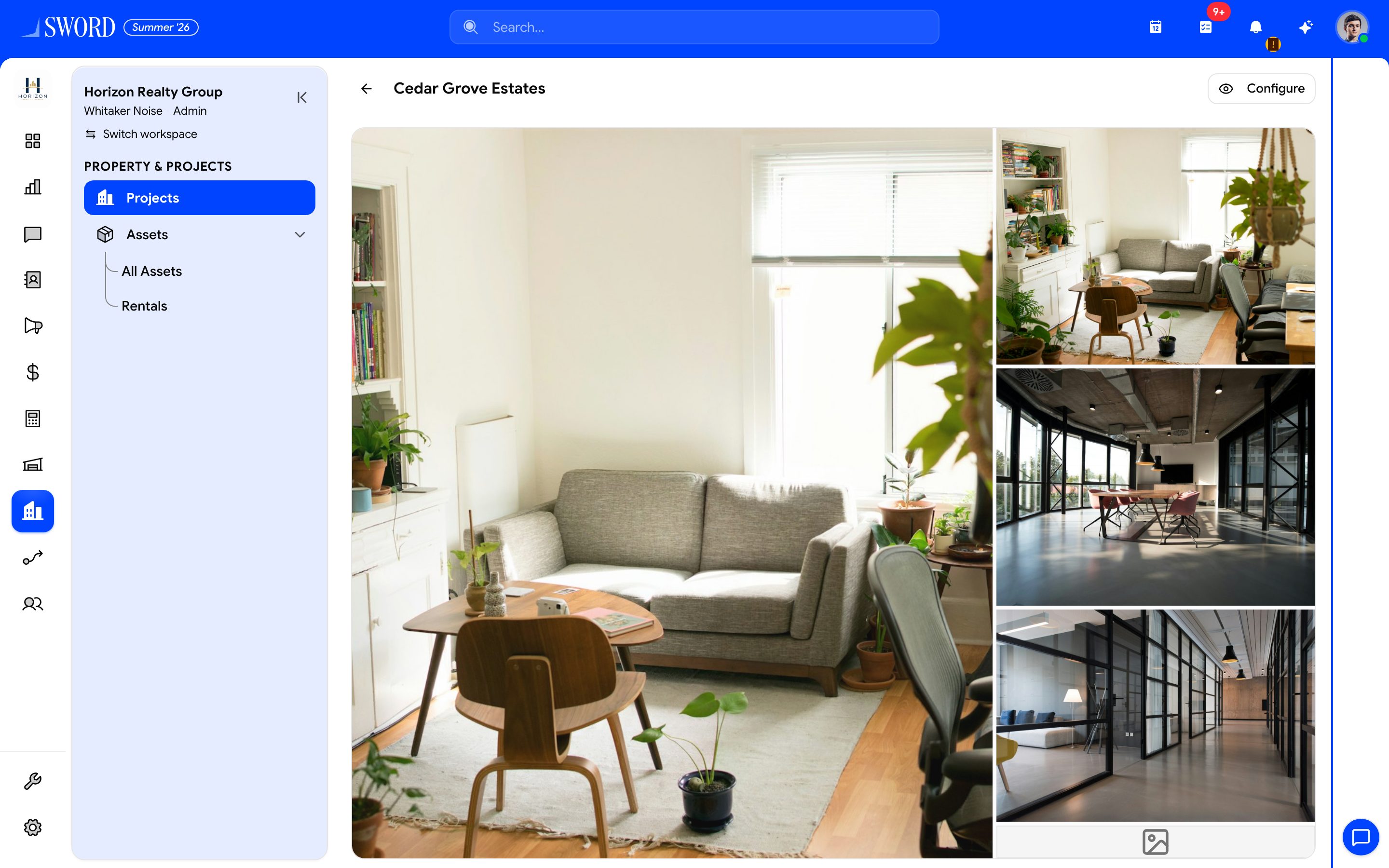
- Project name and back navigation
- Configure inventory, selling, and settings
- Media gallery and linked inventory for the development
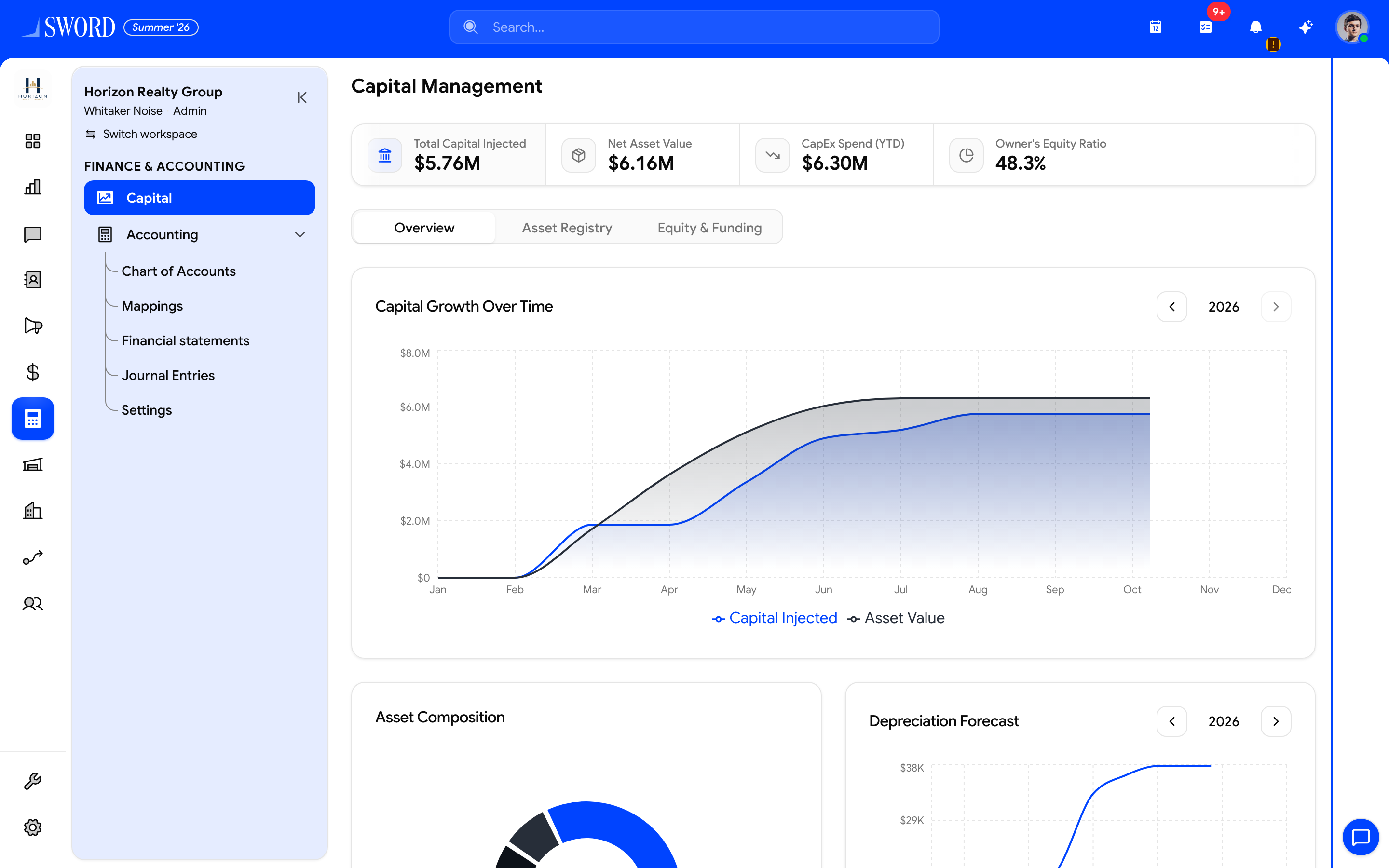
- Open Finance → Capital for portfolio spend
- Injected capital, NAV, CapEx, and equity ratio
- Switch Overview, Asset Registry, Equity & Funding
- Capital growth vs asset value over time
Project structure
| Component | Description | Links to |
|---|---|---|
| Project header | Name, owner, dates, status | Dashboard KPIs |
| Budget lines | Planned vs actual spend | Capital / finance |
| Milestones | Phase gates and deliverables | Reporting |
| Assets | Affected buildings or units | Asset register |
| Documents | Contracts, permits, drawings | Compliance |
Use consistent status values (planning, in progress, on hold, complete) so portfolio reports stay comparable.
Create a project
- Open Property → Projects
- Select New project and set timeline and owner
- Add budget lines aligned with your chart of accounts or capital categories
- Link affected Assets
- Track milestone completion as work progresses
When Finance is enabled, actuals can flow from invoices or expense entries tagged to the project.
Capital tracking
Capital module views roll up project spend against approved budgets. Finance and property admins typically share visibility; field teams see milestones and tasks scoped to their role.
flowchart TB
  Project[Project record] --> Budget[Budget lines]
  Project --> Assets[Linked assets]
  Budget --> Capital[Capital reporting]
  Assets --> Maint[Maintenance and inspections]
  Capital --> Finance[Finance module optional]
  Project --> Milestones[Milestones and status]
Review projects monthly: update actuals, close completed milestones, and reforecast before requesting additional capital approval.