Settings → Preferences (PERSONALIZATION) lets admins control the Home page layout per role and the sidebar order for the whole workspace. Open Home at /dashboard/home to see the cards your role layout allows.
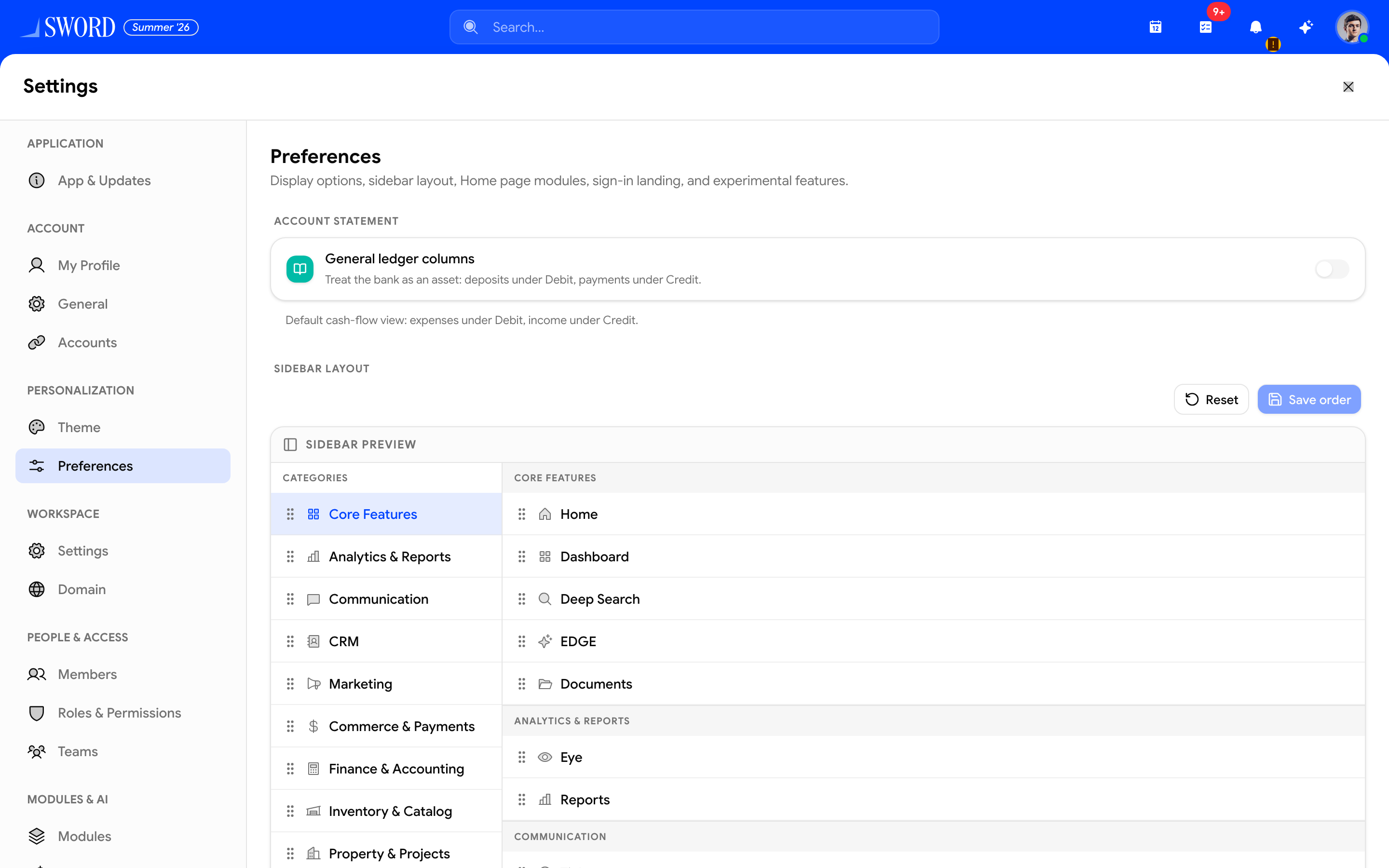
- Open the gear → Preferences under Personalization
- Personal toggles (for example account-statement column style) apply only to you
- Sidebar layout — drag categories and items, then Save order (needs
settings.view)
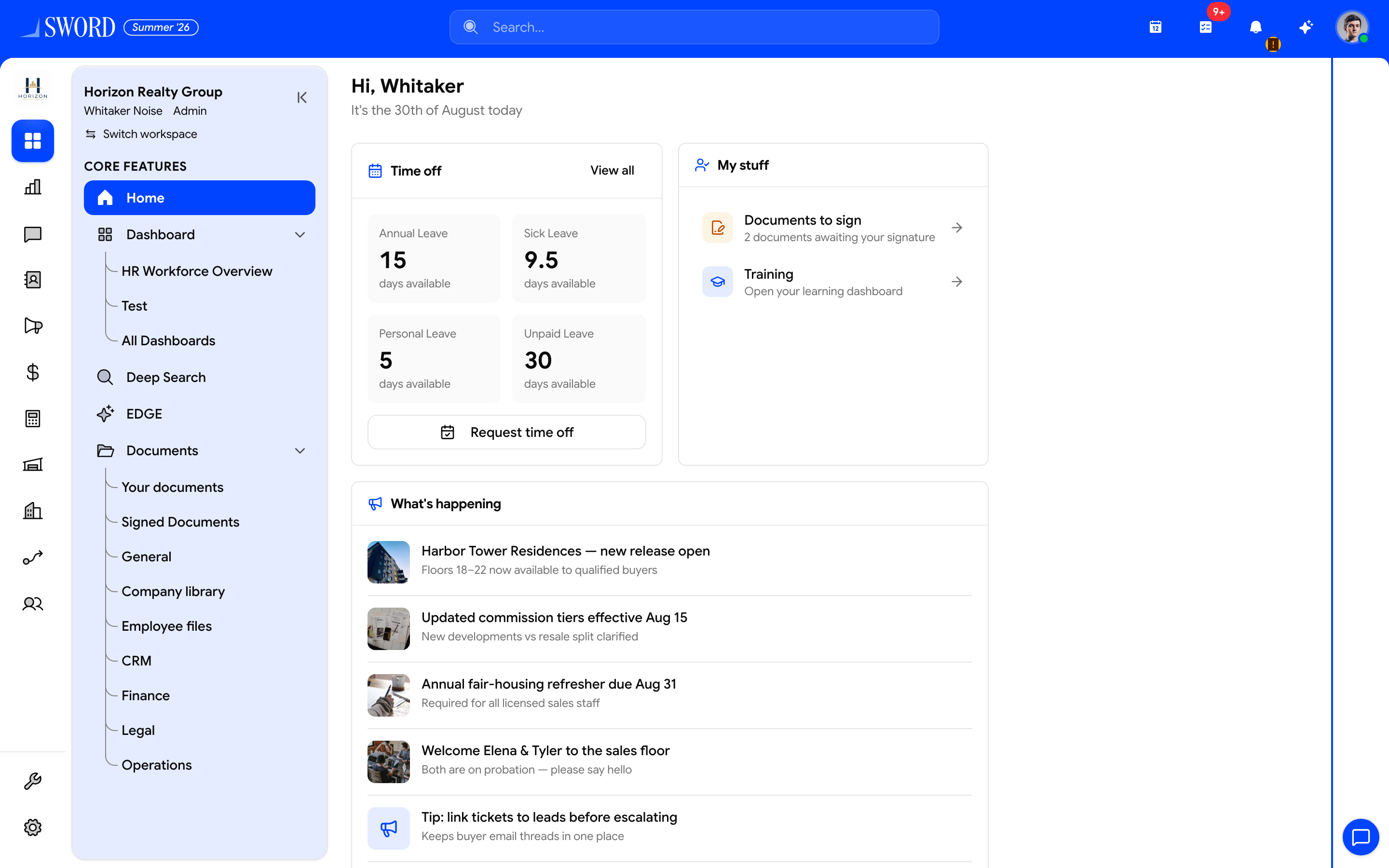
- Leave balances and time-off shortcuts
- Documents, training, and other personal shortcuts
- Company announcements feed
Please note:
- Home layout and sidebar order are tenant-wide for the role / workspace, not personal drag-and-drop preferences.
- Multi-role users use the first role that has a saved Home layout.
- People-feed cards (welcome, celebrations, new joiners) need
home.people_feed(or admin). Without it, those cards stay empty even if visible in the layout.
Home page cards
Typical widgets include Time off, My stuff, What's happening, My direct reports, Who's out, Company links, Welcome to the team, Celebrations, and Onboarding. Domain permissions still gate the data inside each card (leaves, employees, documents, and so on).
Company links are managed under Communications → Company links (add URL, title, description) and shown on Home when that card is visible for the role — separate from employee field grants.
Configure layout
- Open Settings → Preferences → Home page
- Pick a role, drag cards to reorder, and toggle visibility
- Save layout — or Reset role to clear that role’s custom order
flowchart LR
  Prefs[Settings → Preferences] --> Role[Pick role]
  Role --> Layout[Order and hide cards]
  Layout --> Home[User opens Home]
  Home --> Feed{home.people_feed?}
  Feed -->|Yes| People[Welcome Celebrations joiners]
  Feed -->|No| Empty[Feed cards empty]
People feed
Grant home.people_feed on roles that should see Welcome / Celebrations-style content. New custom roles often include it by default in the role editor — see Roles in Settings.
Sidebar order
Under the same Preferences screen, drag categories and nav items to set workspace-wide sidebar order. Save persists the order; reset restores the default. Personal sidebar collapse is separate from this tenant order.
Start modules
Landing pages after login are configured nearby — see Start modules per role (searchable module picker).
Related
- Approvals hub — cross-module review inbox linked from the navbar
- Leave requests and approvals — Time off card → request wizard
- Settings drawer overview
- Roles, permissions, and RBAC