Eye gives supervisors and admins a live view of who is active in EDGE Sword, what they are working on, and recent navigation patterns — useful for floor management, support coverage, and compliance awareness.
Please note:
- Eye respects permissions — you only see activity for users and modules your role allows; align access with Roles, permissions, and RBAC.
- Communicate usage policies to your organization — Eye is observability, not surveillance.
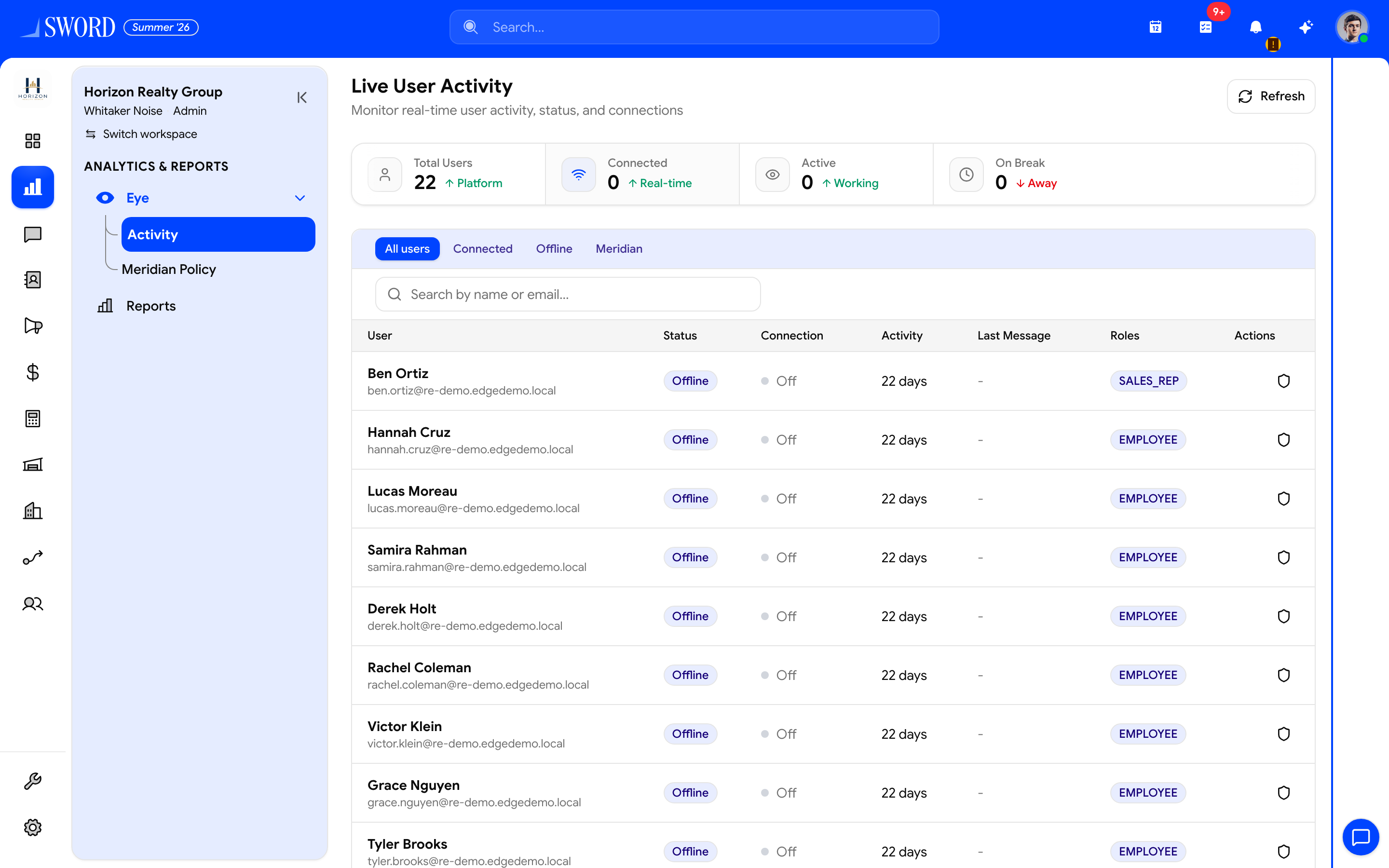
- Open ANALYTICS → Eye → Activity
- Refresh the live snapshot
- Totals for connected, active, and on-break users
- Filter All / Connected / Offline / Meridian
- Drill into a user for status, roles, and recent activity
Eye views
| View | Shows | Best for |
|---|---|---|
| Active now | Signed-in users and last action | Real-time staffing |
| Module heat | Activity by module in a time window | Adoption tracking |
| User trail | Recent pages and records for one user | Coaching and audit |
| Team rollup | Aggregate activity by department | Manager dashboards |
Eye respects permissions: you only see activity for users and modules your role allows.
Open Eye
- Enable Eye under Settings → Modules if not already on
- Open Reporting → Eye from the sidebar
- Filter by team, module, or time range
- Drill into a user for detail when investigating support or training needs
Eye is observability, not surveillance — communicate usage policies to your organization. Pair Eye with Read your dashboards and reports for daily rollups, or use Deep search when you need to jump to a specific record from an activity trail.
Activity signal flow
flowchart LR
  User[User session] --> Events[Page and record events]
  Events --> Eye[Eye aggregation]
  Eye --> Live[Active now view]
  Eye --> History[Historical trails]
  Live --> Supervisor[Supervisor dashboard]
  History --> Audit[Coaching and audit]
Pair Eye with Dashboard widgets for managers who need daily rollups without staying in the live view.