Deep Search crosses module boundaries — leads, companies, invoices, employees, products — so operators can locate a record without knowing which app area owns it. The global search overlay (header search) also returns employees and document files when those modules are enabled.
Please note:
- Results exclude modules disabled for the tenant and records outside your permission scope — see Roles, permissions, and RBAC.
- Document results respect Documents browse permissions; entries you cannot open are hidden from nav and search.
- Saved searches reset when you leave Deep Search; pin frequent views from Read your dashboards and reports instead.
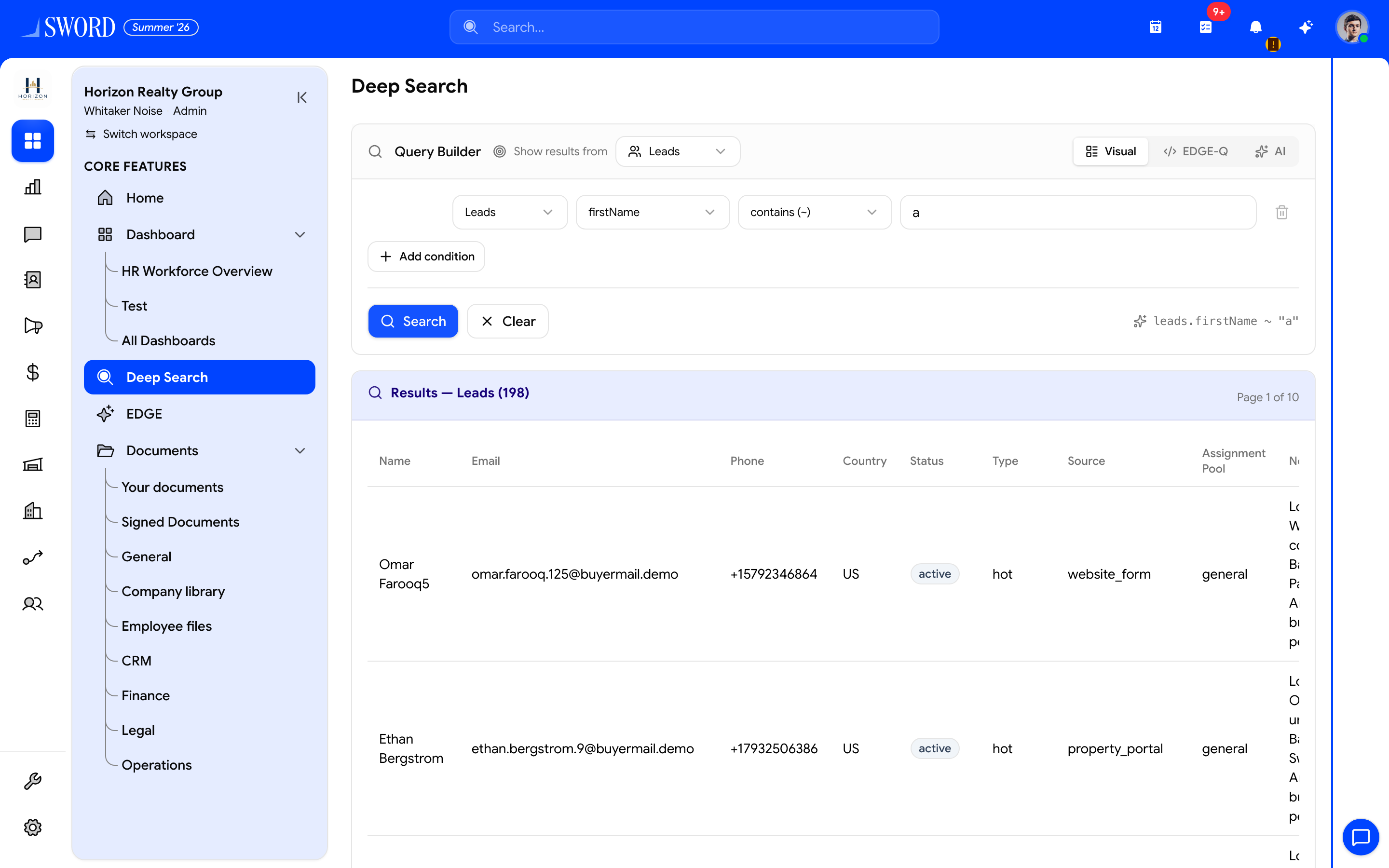
- Open Deep Search from the sidebar
- Choose which entity to search (Leads, Employees, …)
- Switch Visual, EDGE-Q, or AI query modes
- Add field conditions (or describe the search in AI)
- Run Search — results respect module permissions
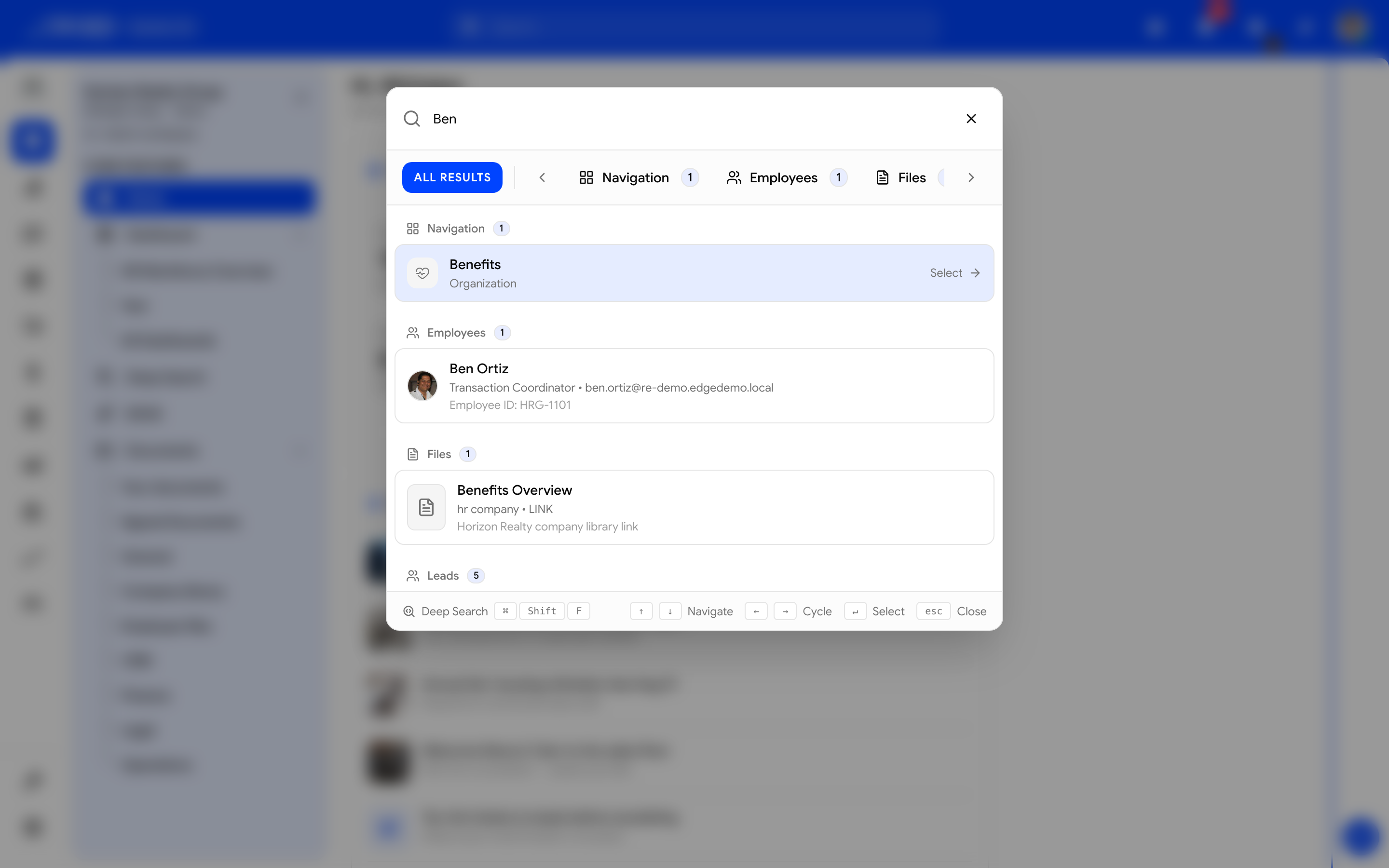
- Click the header Search… bar (or the shortcut)
- Filter by All / Navigation / Employees / Files / …
- Open a row — employees and documents appear when those modules are on
Search behavior
| Input | Matches | Result ranking |
|---|---|---|
| Name or title | Primary display fields | Exact match first |
| Email / phone | Contact fields | Normalized match |
| Employee name | People directory (employees module) | Profile link |
| File name | Documents drive files | Opens file / folder context |
| Code / SKU | Product, asset, order codes | Prefix and exact |
| Free text | Notes and descriptions | Lower weight |
Results exclude modules disabled for the tenant and records outside your permission scope.
Run a deep search
- Open Reporting → Deep Search or use the global search shortcut when configured
- Enter at least two characters
- Filter by module type if the result set is large
- Open the record from the result row
Saved searches are not required for basic use — filters reset when you leave the page.
How search scopes results
flowchart TB
  Query[Search query] --> Index[Cross-module index]
  Index --> Modules{Enabled modules}
  Modules --> Perms{User permissions}
  Perms --> Results[Ranked result list]
  Results --> Record[Open record detail]
Use Deep Search during support handoffs when a customer references an invoice number but the agent is unsure which module created it. Supervisors tracing user sessions may prefer Use Eye activity for live context. For people files, see Documents drive and Manage employees and profiles.