Configuration → Custom Activities lets admins define custom activity types so reps log structured interactions on leads. Each type has an icon and a set of fields reused from your existing lead custom fields.
Please note:
- Activity fields pick from lead custom fields — create those fields first.
- Industry templates can seed common types; browse templates before building everything from scratch.
- Archive types you no longer use instead of deleting history-dependent definitions when possible.
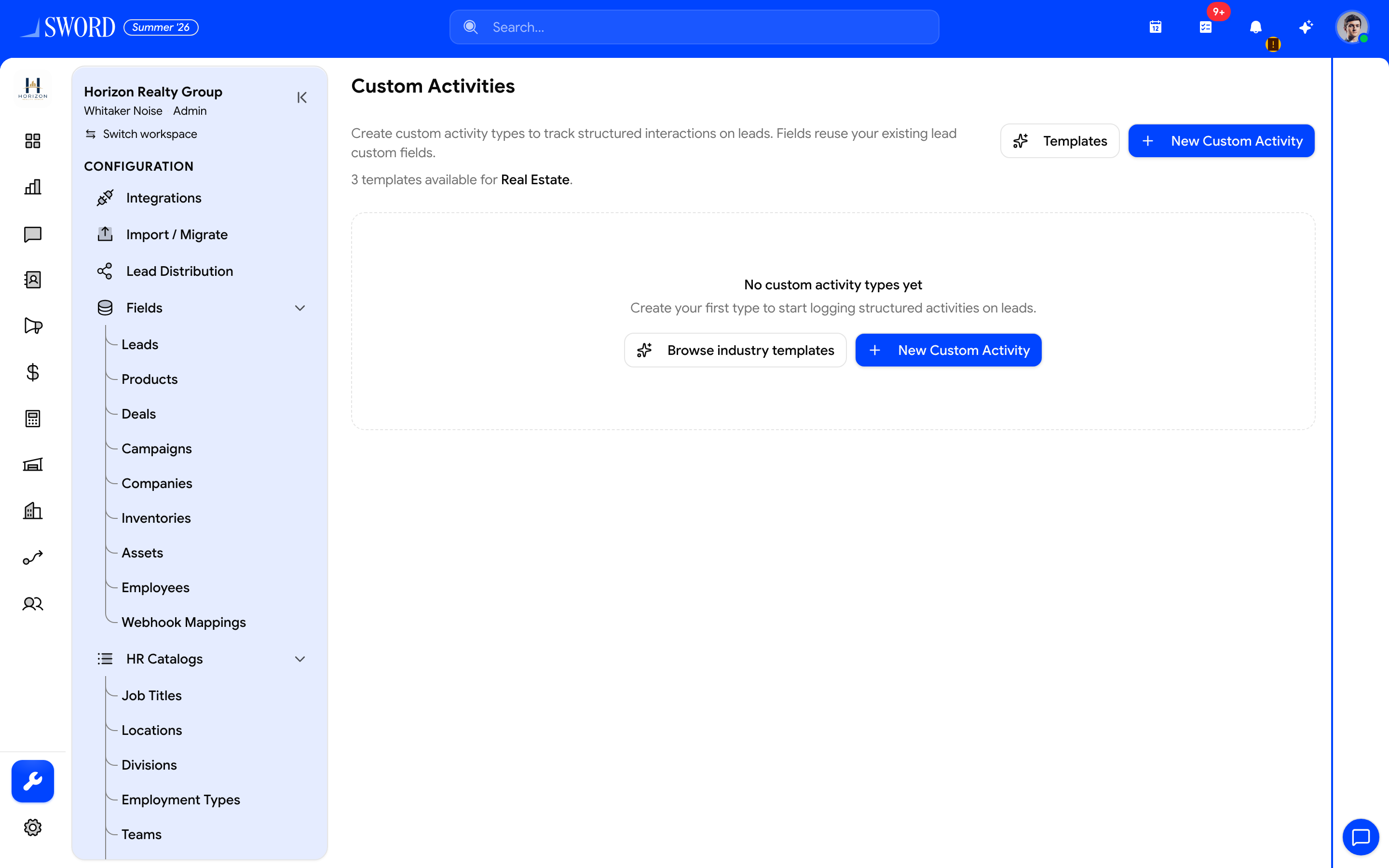
- Open Configuration → Custom Activities
- Browse Real Estate (or other) industry templates
- Or + New Custom Activity with icon and lead fields
- Saved types appear on lead Log Activity actions
Create an activity type
- Open Configuration → Custom Activities.
- Click Create, or Browse templates for your industry.
- Set name and icon.
- Attach fields from lead custom fields (required vs optional as needed).
- Save — the type appears on lead activity actions for users with access.
Manage the catalog
| Action | Effect |
|---|---|
| Edit | Change label, icon, or field set |
| Archive / restore | Hide from new logging without wiping old entries |
| Templates | Prefill types matched to your workspace industry |
flowchart LR
  Fields[Lead custom fields] --> Type[Custom activity type]
  Type --> Lead[Lead record]
  Lead --> Timeline[Interaction timeline]
Logged activities support follow-up discipline in Pulse and Track interactions. Pair with calendar and tasks when an activity should create follow-up work.