Departments group people by function; Hierarchy defines who reports to whom. Together they drive leave approvals, visibility, and org charts.
Please note:
- Leave requests and approvals walk the manager chain from each requester — stale hierarchy links send requests to the wrong approver.
- Reassign direct reports before removing a manager profile; circular manager links may block saves.
- Inactive and terminated people are hidden from the hierarchy chart and list; their reports reconnect under remaining managers.
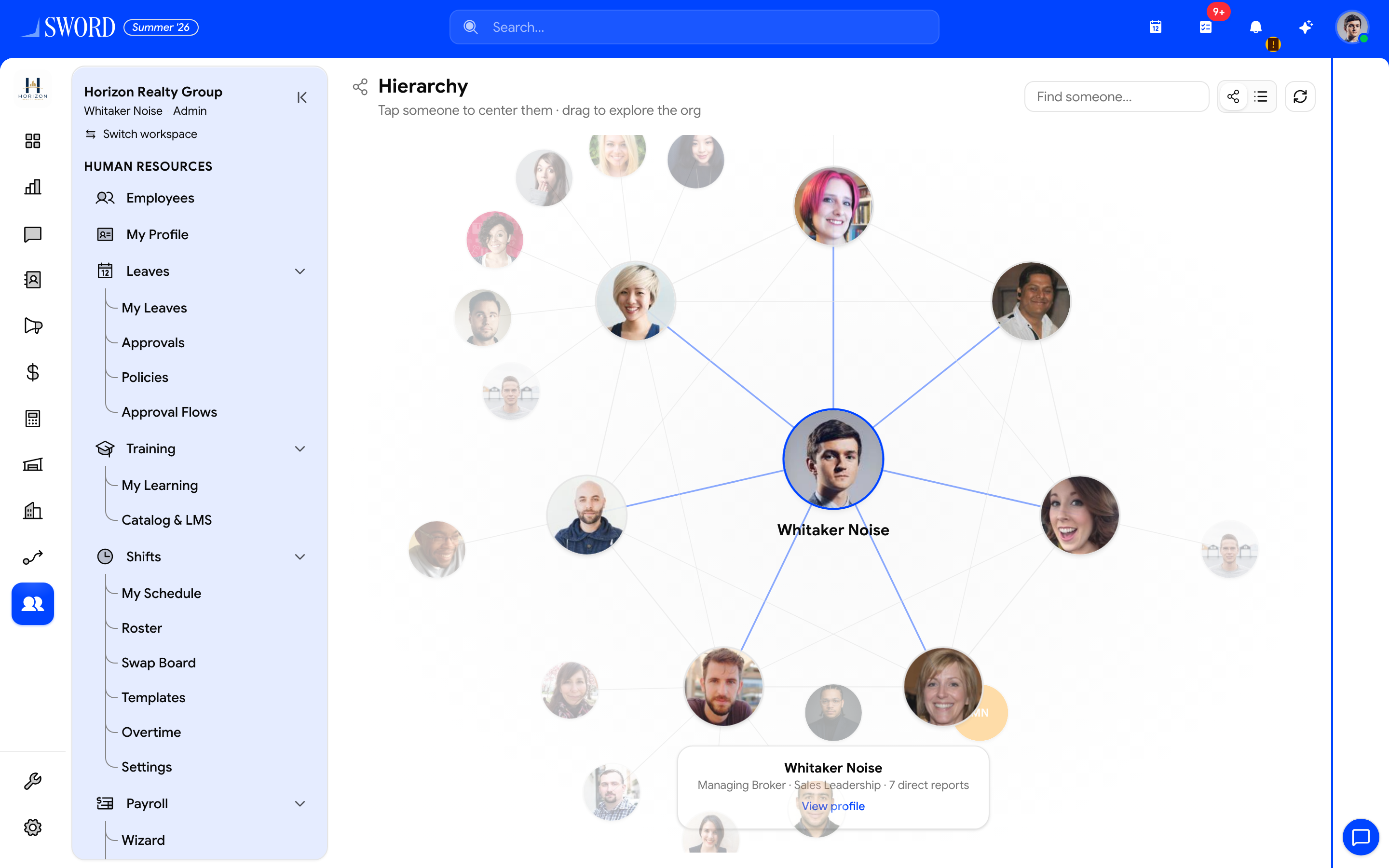
- Tap a person to center the chart; drag to explore
- Search the org with Find someone…
- Open the card for title, direct reports, and View profile
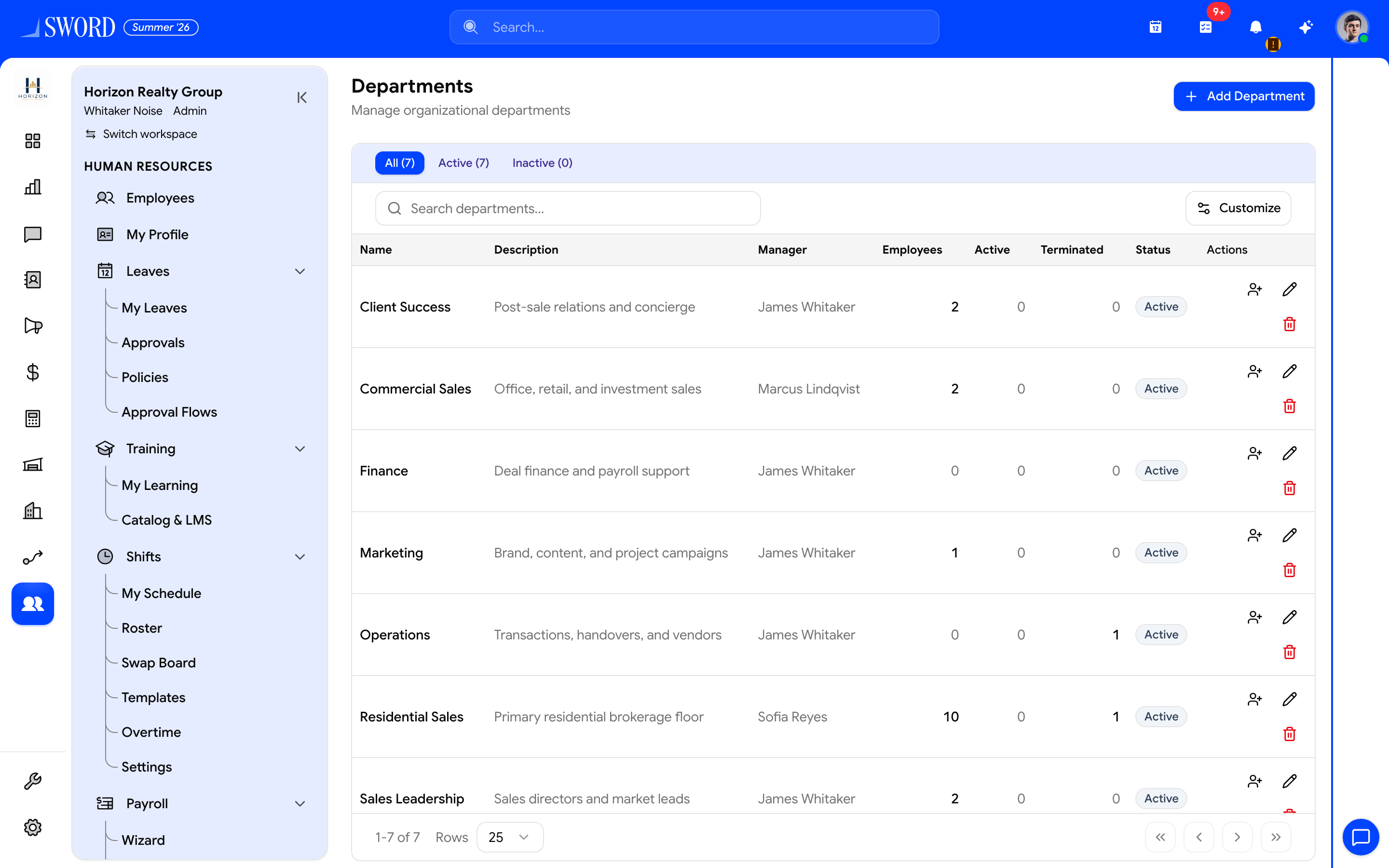
- Create units with + Add Department
- Filter All / Active / Inactive
- Managers, headcount, and row actions (edit / assign)
Set up departments
- Open Departments
- Create units (e.g. Sales, Warehouse, Front office)
- Assign a department head when your tenant uses that field
- Map employees to departments on their Manage employees and profiles records
Departments also filter lists in HR, CRM handoffs, and reporting when module scopes reference org structure. Shift scheduling and Payroll and tax cost centers often read the same department field. Approvers for Leave requests and approvals resolve by walking this hierarchy from each employee profile.
Reporting lines
Hierarchy links each employee to a direct manager. Multi-level chains roll up automatically for approvals and team views.
Open Hierarchy (/dashboard/hr/hierarchy) in two modes:
| View | Use |
|---|---|
| Org chart | Interactive chart — tap to center, drag to explore, search then Enter for first match |
List view (?view=list) |
Searchable list of active members |
Profile links open only when you may view that employee (self, direct report, or directory permissions).
| Concept | Purpose | Example |
|---|---|---|
| Department | Functional grouping | Finance |
| Manager link | Direct approver | Regional lead |
| Dotted line | Secondary reviewer | HR partner |
| Root | Top of org | CEO / GM |
flowchart TB
  CEO[General Manager] --> OPS[Operations Director]
  CEO --> FIN[Finance Director]
  OPS --> WH[Warehouse Manager]
  OPS --> LOG[Logistics Lead]
  WH --> P1[Picker A]
  WH --> P2[Picker B]
  FIN --> ACCT[Accountant]
Approvals and visibility
Leave, expenses, and workflow steps often resolve approvers by walking the hierarchy from the requester upward. Keep manager links current when people transfer departments. Pending leave and profile approvals also surface in the Approvals hub.
Maintenance
- Reassign reports before removing a manager profile
- Avoid circular manager links — the system may block saves
- Sync department changes with shift and payroll cost centers when those fields are linked
- When reorging teams, update Manage members role assignments if department scopes gate module access