Lead types and deal types label records for reporting and process design. Configure them on the Fields page: Leads tab for lead types, Deals tab for deal types.
Please note:
- Types are workspace-wide vocabulary — rename carefully if reports already filter on old labels.
- Types complement custom fields; use types for coarse categories and fields for detailed attributes.
- Industry templates may seed starter types — review before go-live.
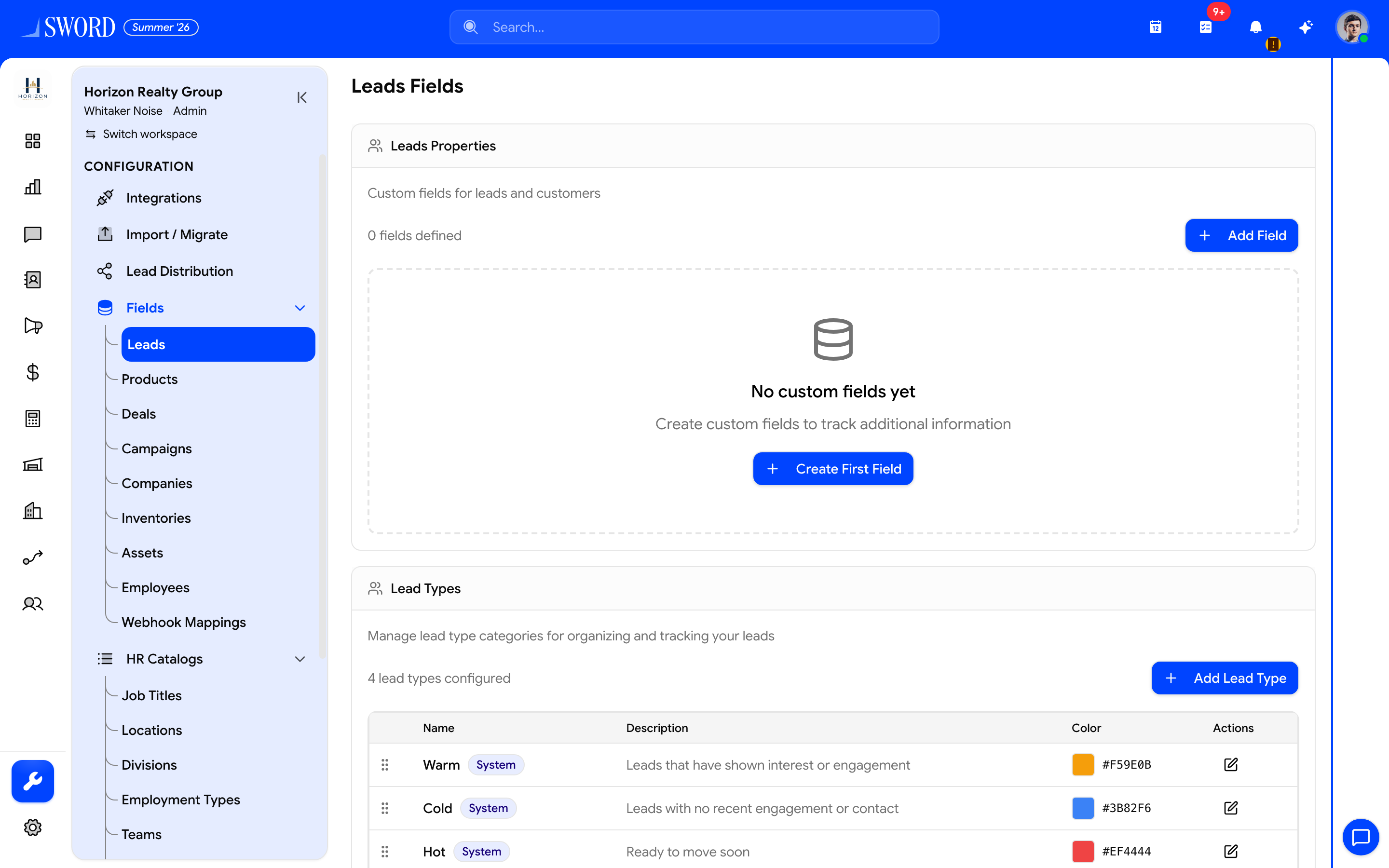
- Open Fields → Leads
- Add or edit Hot / Warm / Cold (and custom) types
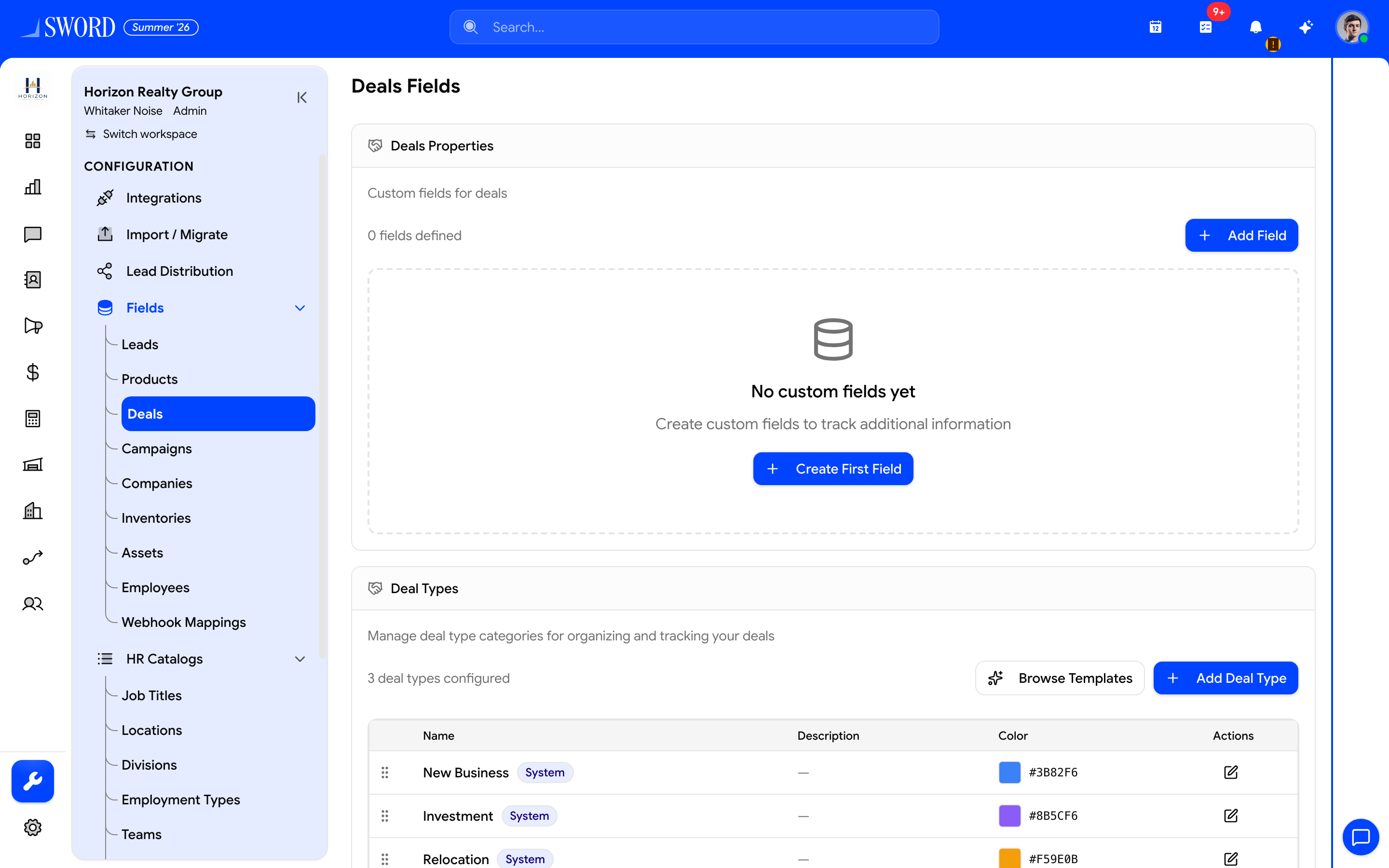
- Open Fields → Deals
- Maintain deal type categories for boards and reports
Lead types
- Open Fields → Leads.
- Open the Lead Types manager.
- Add or edit type name, order, and active state.
- Save — types appear on lead forms and filters.
Deal types
- Open Fields → Deals.
- Open the Deal Types manager.
- Add or edit types the same way.
- Use them on deals and pipelines for segmentation.
| Use types when… | Prefer custom fields when… |
|---|---|
| You need a short fixed list (Retail, Wholesale) | Values are free-text, numeric, or multi-select |
| Boards/filters need one primary category | You need many independent attributes |
See Custom fields and Configure sales pipelines.