Companies are account-level records in EDGE Sword. They group contacts, deals, invoices, and interaction history so your tenant can sell and support at the organization level, not only on individual leads. Field teams browse assigned accounts in the Salesmen portal; inbound form submissions can create or match companies when Build forms maps company fields.
Permissions and visibility
Access to Companies is controlled by roles in your workspace. Typical permission patterns:
| Permission | What it allows |
|---|---|
| Companies read (own) | View companies you own or are assigned to |
| Companies read | View all companies in the tenant |
| Companies create / update | Add and edit company profiles |
| Companies delete | Remove companies (use sparingly; prefer archiving) |
Users without company access will not see the module in the sidebar even when it is enabled for the tenant. Grant access through roles, permissions, and RBAC.
Please note:
- The Companies module must be enabled under Configure your workspace before records appear in the sidebar.
- Companies delete is usually restricted to admins — prefer correcting ownership over removing accounts with linked deals.
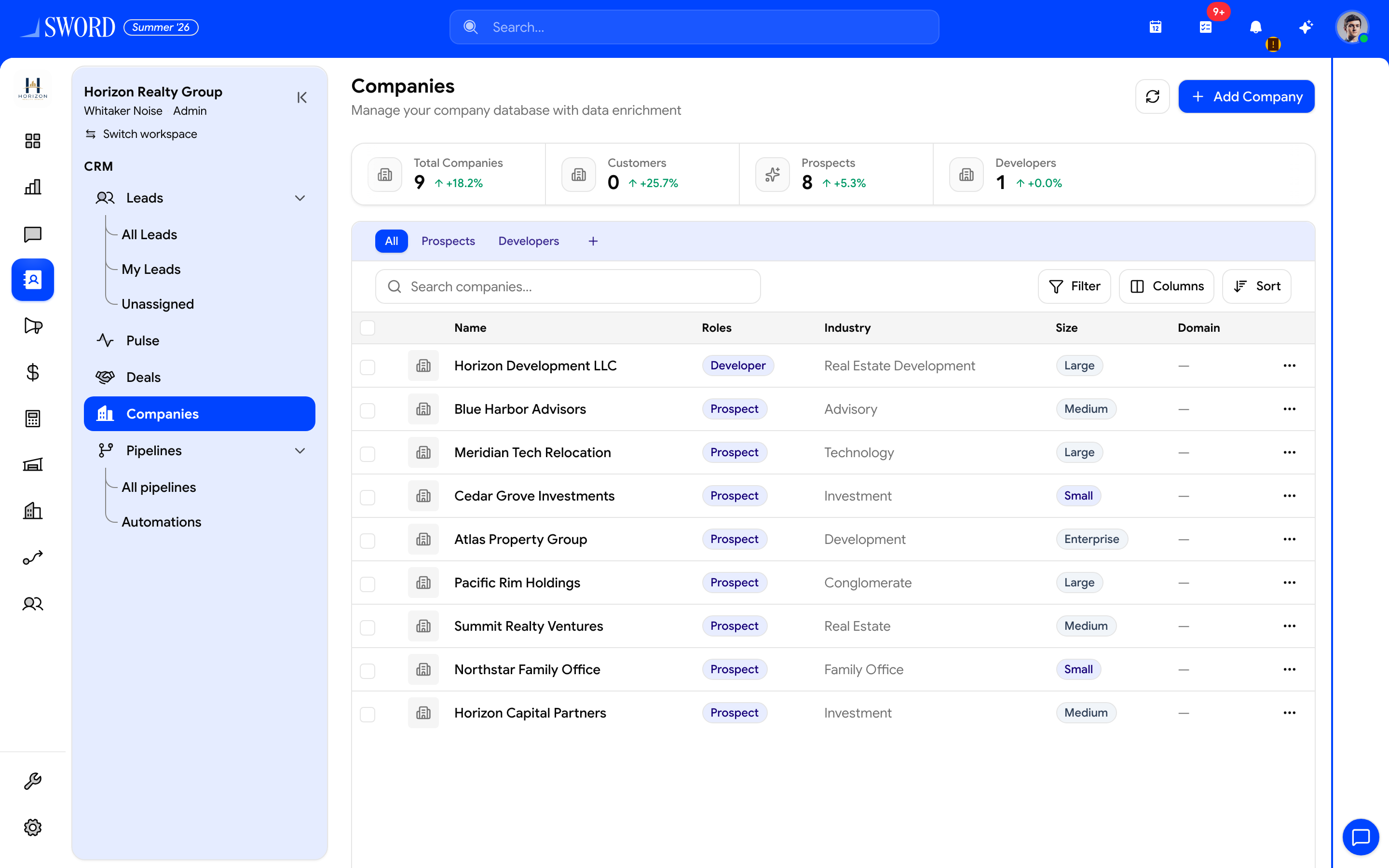
- Open CRM → Companies
- Create with New company
- Browse accounts to link from leads and deals
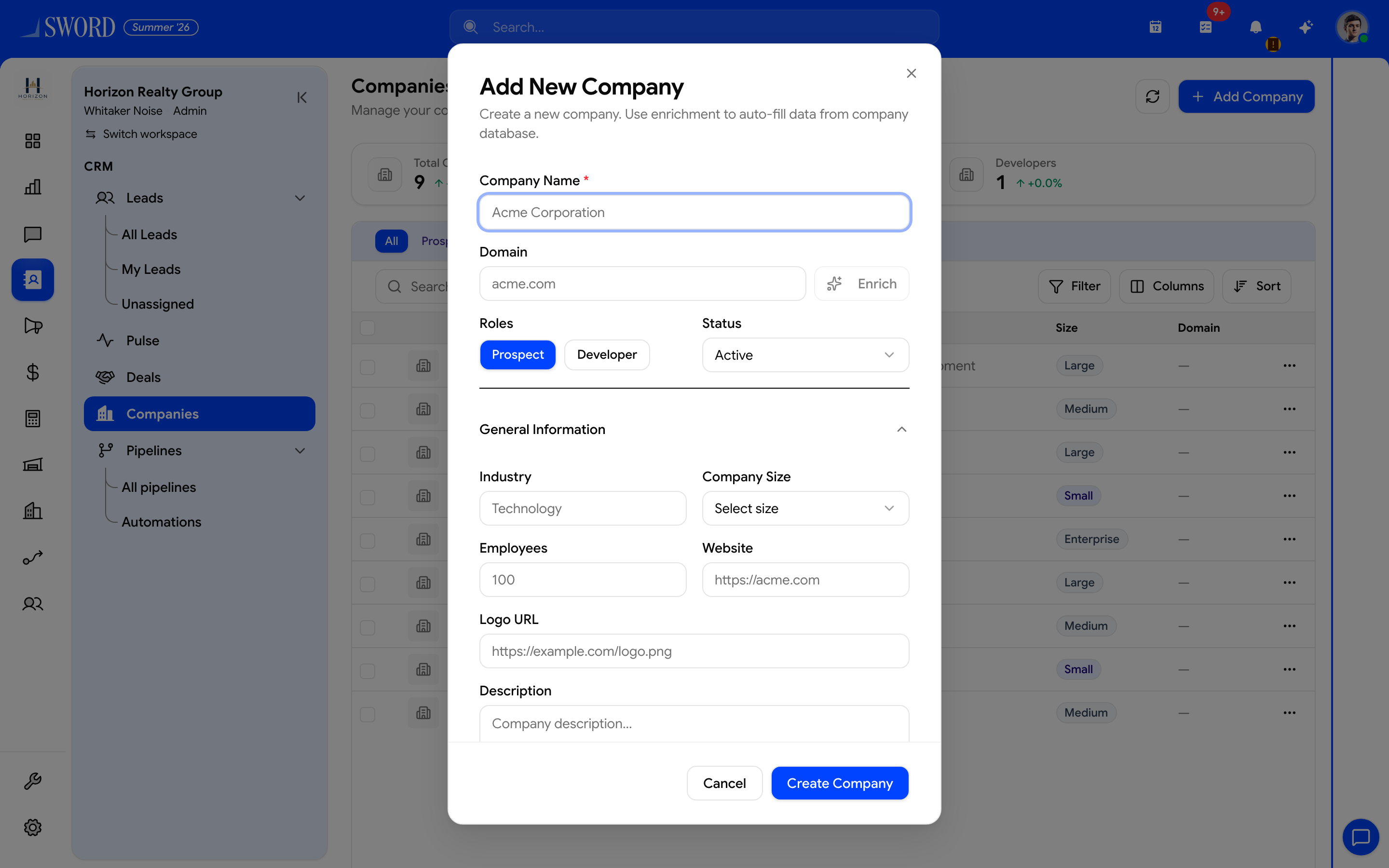
- Enter name, industry, website, and owner
- Save — available to link from leads, deals, and finance
Create a company
- Open Companies from the Sales group.
- Select New company.
- Enter legal or trading name, industry, website, and primary address if relevant.
- Assign an owner so follow-ups and reports roll up correctly.
- Save — the company is now available to link from leads, deals, and finance records.
Link leads, contacts, and deals
- From a Lead or Deal, associate the record with one or more companies.
- One company can have many open deals; each deal still tracks its own amount and close date.
- When a lead converts, carry company links forward so account history stays continuous.
flowchart TB
  subgraph Account["Company record"]
    C[Company profile]
    O[Owner]
  end
  L[Leads] --> C
  D[Deals] --> C
  I[Interactions] --> C
  F[Invoices / orders] --> C
  O --> L
  O --> D
Keep data clean
- Use a consistent naming convention (legal name vs. brand name) across the tenant.
- Deduplicate before bulk imports — merge duplicates rather than creating parallel accounts.
- Add custom fields under Configuration → Fields when your industry needs sector-specific attributes.
- Review company-level dashboards and reports monthly; stale owners often mean stale accounts.
Best practices for multi-site tenants
- Enable Companies alongside Leads and Deals for B2B sales motions.
- Train reps to select the company before logging interactions so timelines stay unified.
- Restrict delete permissions to admins; incorrect merges are easier to fix than lost history.