HR Catalogs (Configuration → HR Catalogs) are the shared option lists used on employee profiles, timelines, compensation changes, and related HR forms.
Please note:
- You need
hr_catalogs.read(admins typically manage these lists).- BambooHR / data-migration imports can seed many catalogs — see Data migration.
- Prefer editing catalogs here instead of free-typing one-off values on profiles so reporting stays consistent.
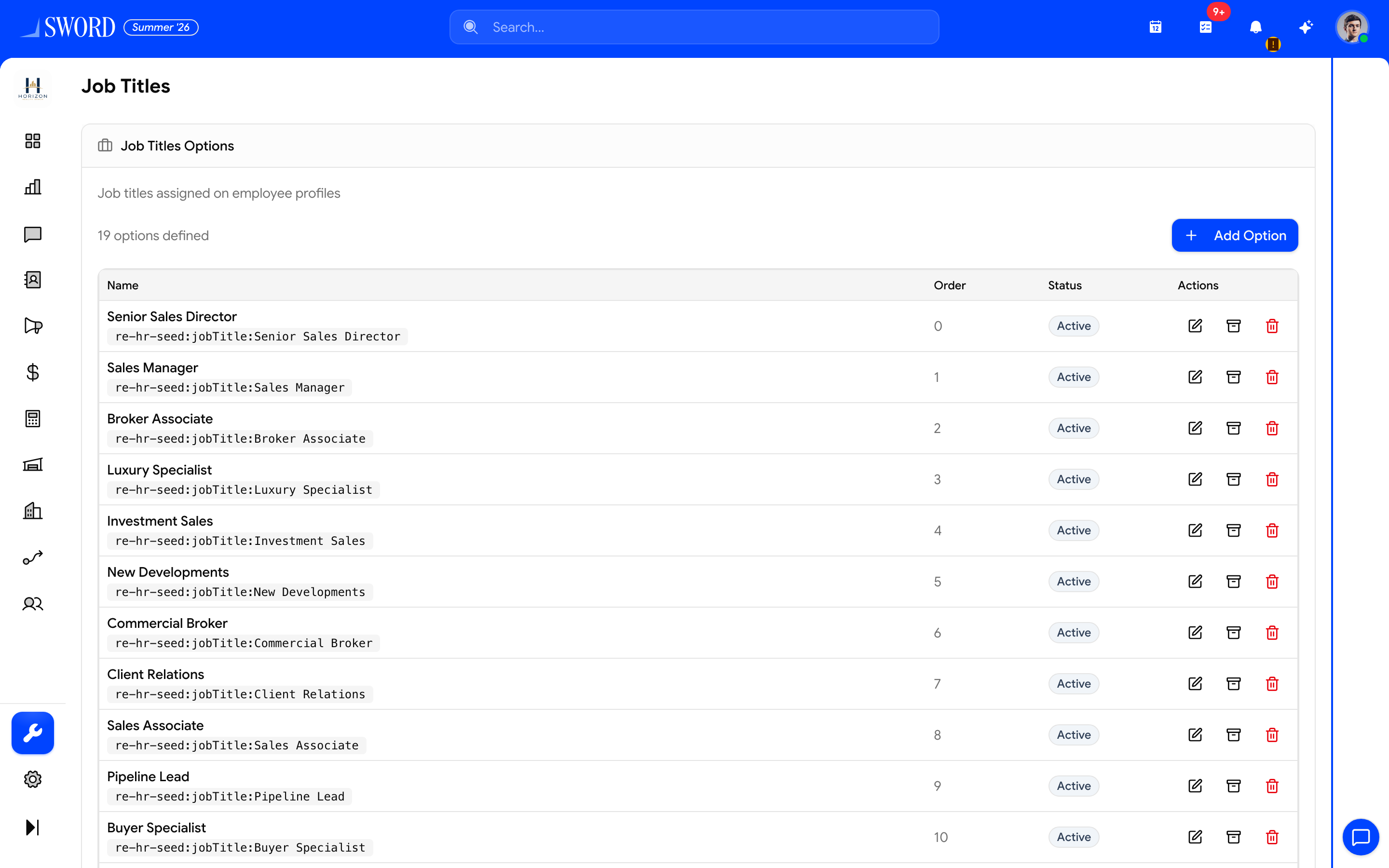
- Open Configuration → HR Catalogs (Job Titles shown here)
- + Add Option for a new picklist value
- Edit, archive, or delete existing options used on profiles
Open catalogs
- Go to Configuration → HR Catalogs (
/dashboard/configurations/hr-catalogs) - Pick a catalog tab (Job Titles, Locations, Divisions, …)
- Add, rename, or deactivate options for that kind
Primary catalogs
| Catalog | Used for |
|---|---|
| Job Titles | Titles on employee employment records |
| Locations | Work locations / offices |
| Divisions | Business units |
| Employment Types | Full-time, contractor, trainee, etc. |
| Teams | Team list options on profiles |
| Termination Reasons / Types | Exit workflow metadata |
| Change Reasons | Job and status timeline entries |
| Comp Change Reasons | Compensation history |
| Degrees | Education satellite records |
| Relationships | Dependents and contacts |
| Equipment Categories | Assigned equipment |
Additional kinds (pay schedules, pay types, notice periods, gender, nationality, visa, training categories, and more) appear under the catalog browser as needed.
Related
- Manage employees and profiles — profiles consume these options
- Departments and hierarchy
- Data migration