The Leaves module lets employees request time off while managers approve against policy and remaining balance.
Please note:
- Approvers resolve from Departments and hierarchy — confirm each employee's manager link before the first request of a period.
- Approved leave updates Shift scheduling and feeds Payroll and tax accruals; reject or adjust early if coverage cannot be met.
- Multi-step routing is configured under Leaves → Approval Flows (requires
approval_flows.read).- Managers also see leave items in the cross-module Approvals hub.
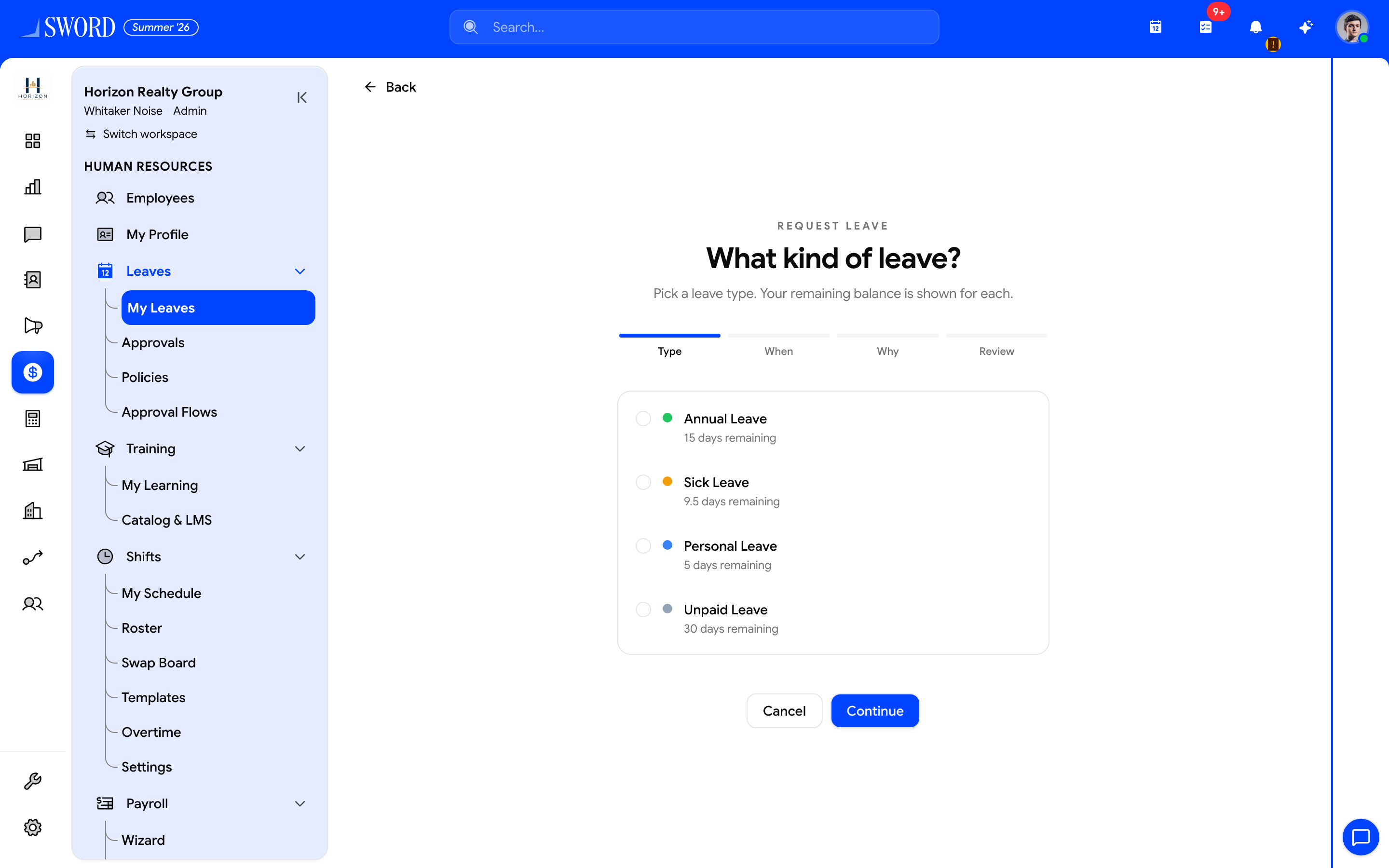
- Wizard steps: Type → When → Why → Review
- Pick a policy — each option shows days remaining
- Continue through dates and reason, then submit on Review
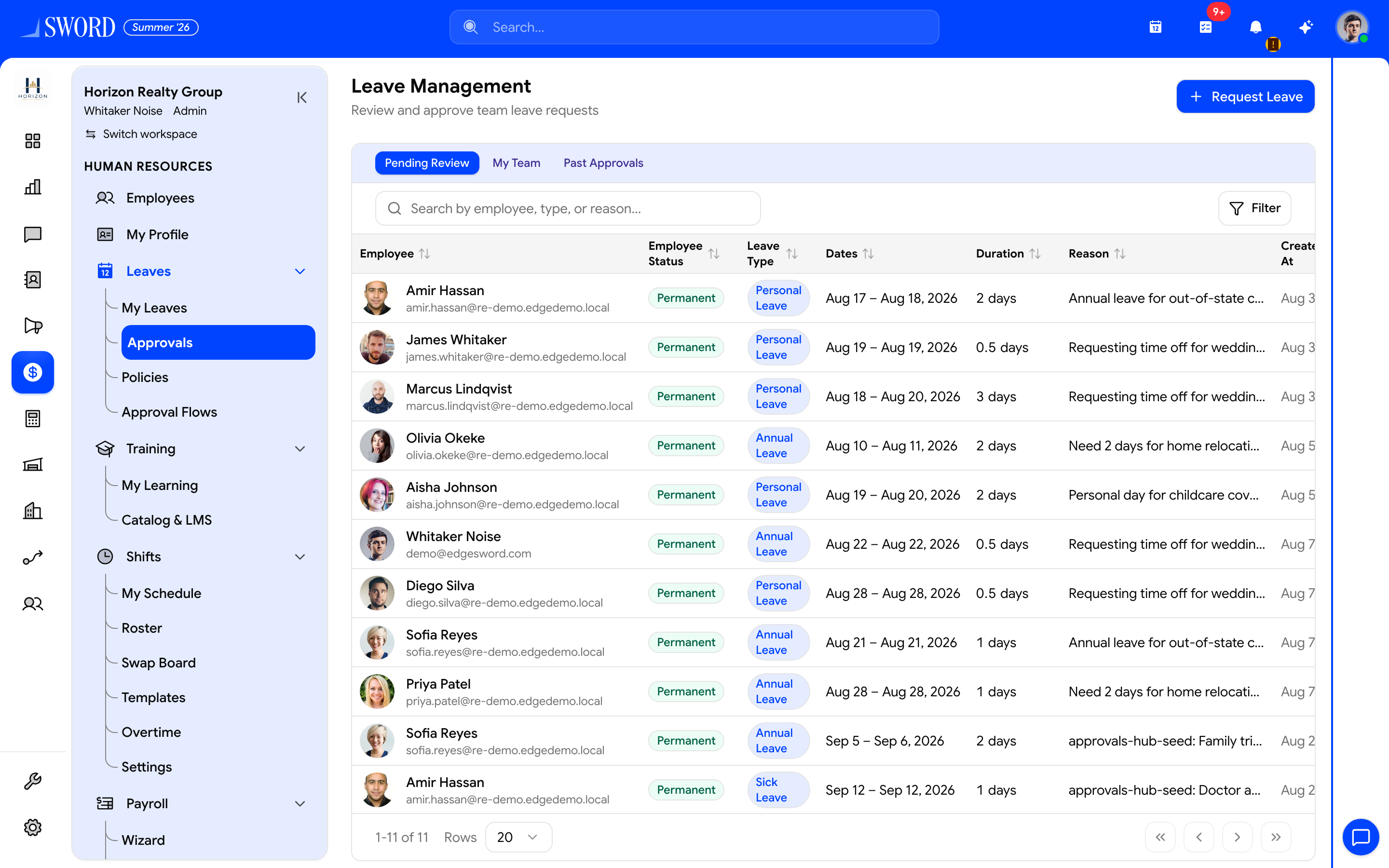
- Open Leaves → Approvals
- Focus Pending Review (or My Team / Past Approvals)
- Managers can also start a request for themselves
- Review employee, type, dates, and reason before approving
Submit a leave request
Leave requests use a full-page wizard at /dashboard/hr/leaves/request (also from Request Leave or the Home Time off card).
- Open Leaves → My Leaves, then Request Leave (or go directly to
/dashboard/hr/leaves/request) - Type — pick a policy; each option shows days remaining
- When — set start date and duration (whole days, half-day Morning (AM) / Afternoon (PM), or hourly when the policy allows). End date is derived from start + duration
- Why — enter a reason (at least 3 characters)
- Review — confirm type, period, duration, and balance after, then Submit
Success returns to My Leaves. If no policies are assigned, the wizard asks you to contact HR.
Employees see pending, approved, and rejected requests in one list. Managers use Leaves → Approvals for the leave-focused queue (paginated team list).
Approval workflow
Approvers review overlap with shifts, blackout dates, and remaining entitlement before accepting or rejecting with a reason. Probation and same-year joiners may see prorated balances depending on policy.
| Leave area | Path | Who |
|---|---|---|
| My Leaves | /dashboard/hr/leaves/my-leaves |
Employees |
| Request wizard | /dashboard/hr/leaves/request |
Employees (leaves.request) |
| Approvals | /dashboard/hr/leaves/approvals |
Managers (leaves.approve) |
| Cross-module inbox | /dashboard/approvals |
Anyone with pending leave / docs / profile items |
| Policies | /dashboard/hr/leaves/policies |
HR (leaves.manage_policies) |
| Approval Flows | /dashboard/hr/leaves/approval-flows |
Admins — multi-step / custom routing |
| Leave type | Typical entitlement | Requires attachment |
|---|---|---|
| Annual | Per policy / tenure | No |
| Sick | As configured | Sometimes |
| Unpaid | Manager discretion | No |
| Comp off | Earned balance | No |
flowchart LR
  A[Employee opens request wizard] --> B{Valid type dates balance?}
  B -->|No| C[Stay on wizard]
  B -->|Yes| D[Approval flow / manager]
  D -->|Approve| E[Balance deducted]
  D -->|Reject| F[Notify with reason]
  E --> G[Calendar and shifts updated]
Balances and policies
HR admins configure leave types, accrual rules, and carry-forward limits under Leaves → Policies. Balances refresh on schedule or when payroll posts accruals. Bamboo-imported balances may be protected from overwrite unless you explicitly recompute with overwrite enabled.
Tips
- Submit early for peak seasons so coverage can be planned
- Link leave to the correct employee profile — contractors may use a different type
- Use Departments and hierarchy so approvals always reach the right manager
- Cross-check published rosters in Shift scheduling before approving peak-season requests
- Watch the navbar Approvals badge for pending leave alongside signatures and profile edits
- Workspace admins adjust approver access through Manage members when managers change departments