Provident Fund is a dedicated HR module (separate from generic benefits). Admins configure policy under PF Settings; employees use My Provident Fund; payroll posts contributions on each run.
Please note:
- Enable provident_fund (and usually payroll) under Enable and manage modules.
- Non-PF benefits (medical, etc.) live under Benefits plans and enrollments.
- Settings changes apply to future payroll runs unless your process says otherwise.
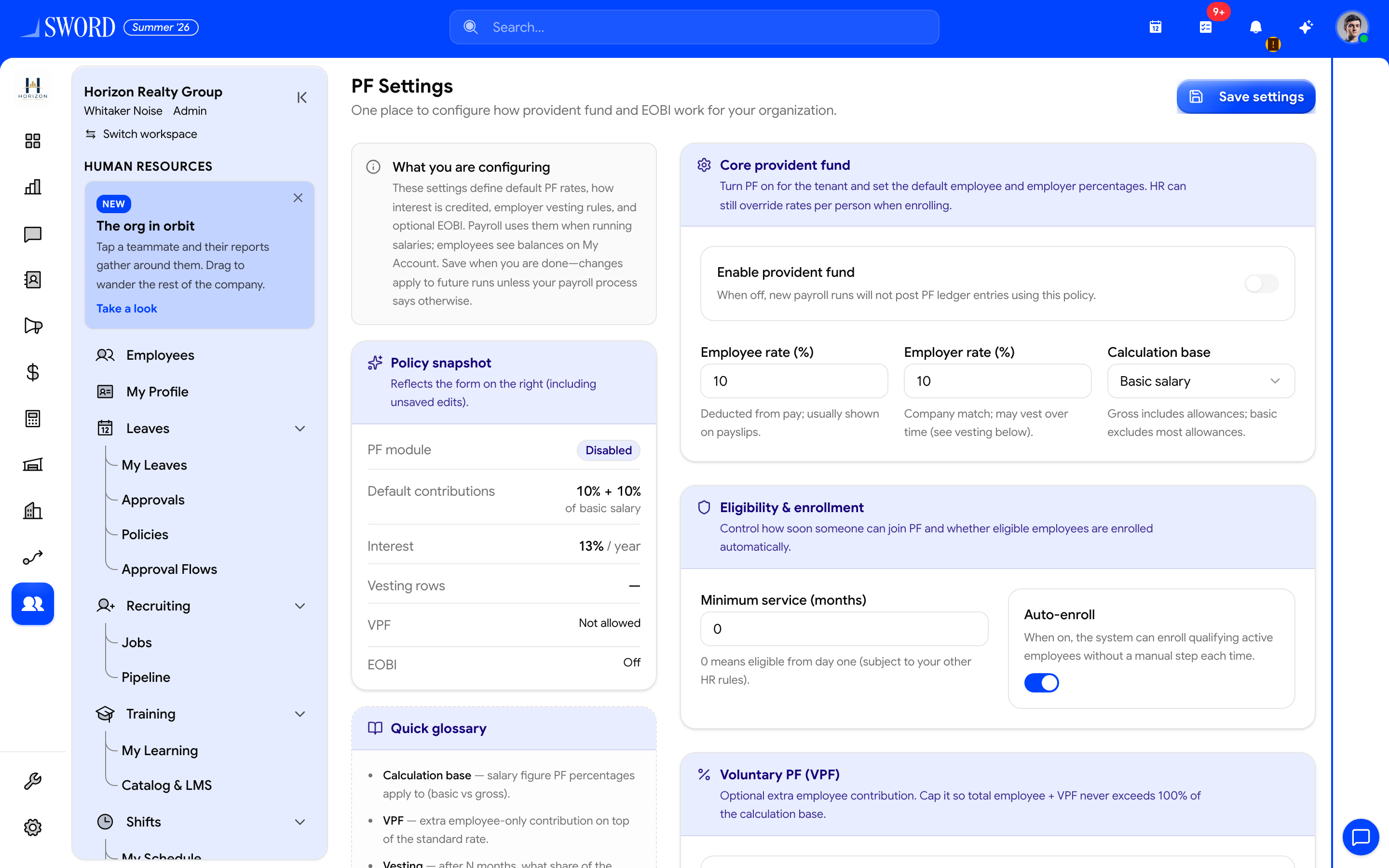
- Save settings after changing policy
- Enable PF and set employee / employer % and calculation base
- Eligibility, auto-enroll, and VPF options
- Policy snapshot summarizes what payroll will use
PF Settings
Open HR → Provident Fund → Settings to configure:
| Area | What you set |
|---|---|
| Core PF | Enable module, employee/employer %, calculation base (basic vs gross) |
| Eligibility & enrollment | Who can enroll and how requests work |
| Voluntary PF (VPF) | Allow extra employee-only contributions and rate caps |
| Employee requests | Whether staff can request enrollment or rate changes |
| Interest | Rate and credit frequency on balances |
| Employer vesting | Schedule rows for when employer share vests |
| EOBI | Optional statutory employee/employer rates and wage base |
Save when finished. Payroll uses these defaults when calculating PF lines — see Payroll and tax.
Accounts, requests, and withdrawals
| Page | Audience | Purpose |
|---|---|---|
| Accounts | HR | Employee PF accounts, balances, enrollments |
| Requests | HR | Voluntary rate-change and enrollment requests |
| Withdrawals | HR | Withdrawal request handling |
| My Provident Fund | Employee | Own balance, contributions, vesting status, enrollment request |
flowchart LR
  Settings[PF Settings] --> Payroll[Payroll run]
  Payroll --> Accounts[PF accounts / balances]
  Emp[Employee My PF] --> Req[Enrollment or VPF request]
  Req --> HR[HR Requests queue]
  HR --> Accounts