Analytics modules summarize activity across the modules you have enabled.
Please note:
- Some reports only appear when related modules are enabled — confirm module setup in Configure your workspace and Enable and manage modules.
- Live activity and cross-module lookup are separate tools — see Use Eye activity and Deep search.
- Table reporting lives in the dedicated Table reports hub (
/dashboard/reports).
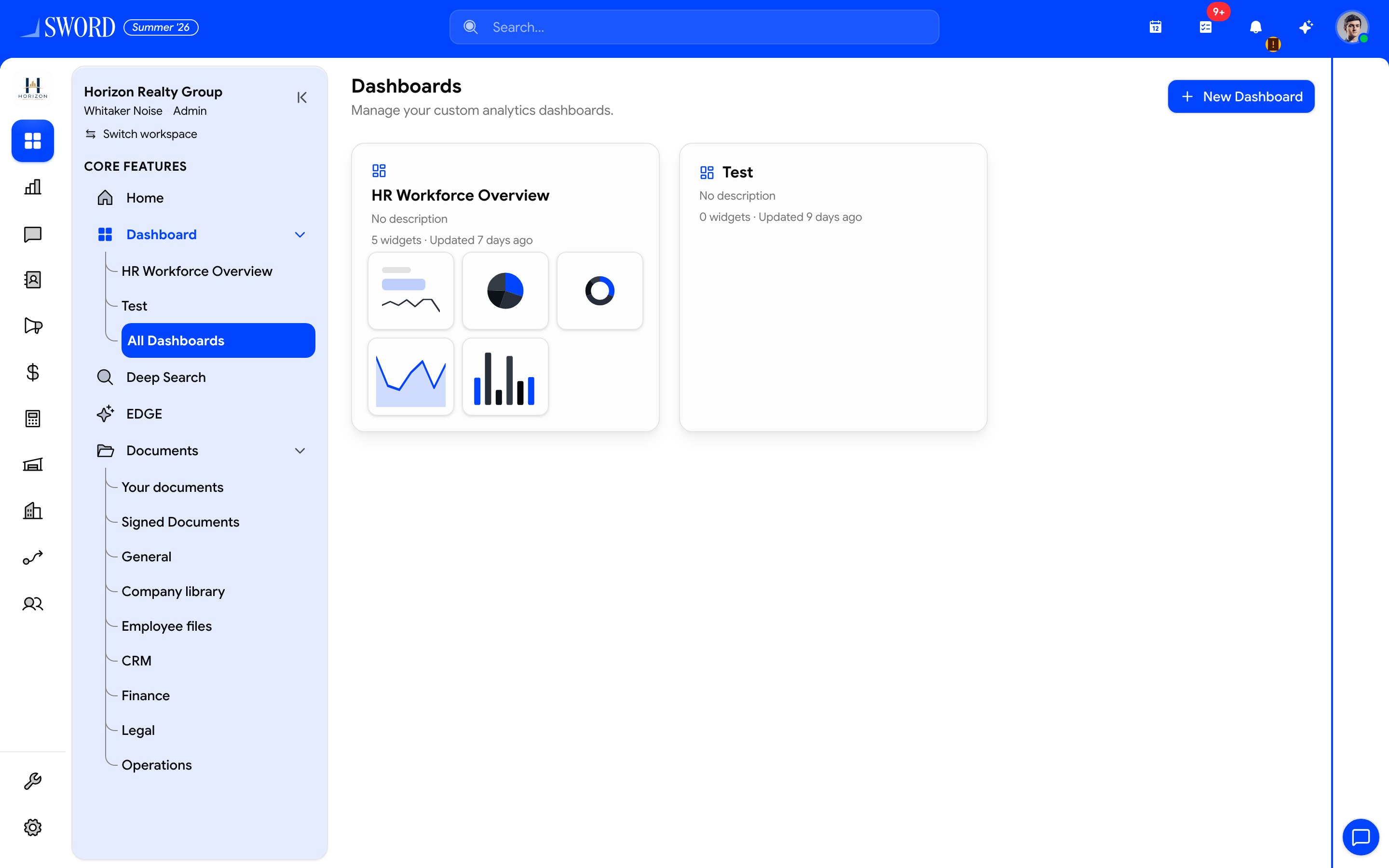
- Open Dashboard → All Dashboards
- Create a board with + New Dashboard
- Open a board card (widget count and preview)
- Private / public / restricted boards appear here
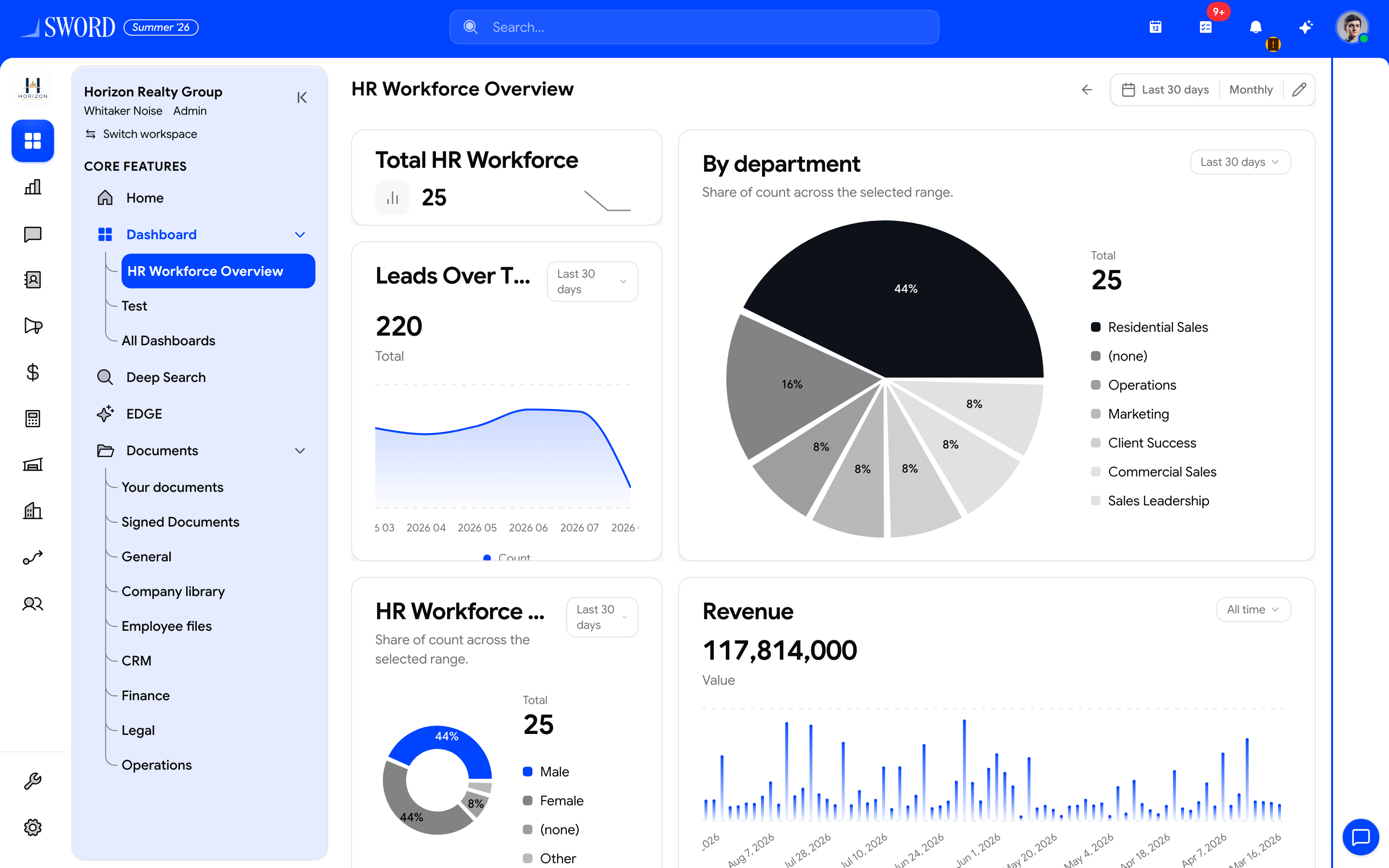
- Open a named dashboard from the sidebar
- Change date range and frequency for the board
- KPI cards summarize headcount and related metrics
- Charts break down departments, demographics, and trends
Reporting tools compared
| Tool | Purpose | Typical user |
|---|---|---|
| Dashboard | KPI widgets and custom boards | Everyone |
| Reports | Standard / Custom table reports, share, export | Managers, analysts |
| Eye | Live user activity | Supervisors |
| Deep Search | Cross-module record lookup | Support, ops |
Custom dashboards
Open Dashboards (/dashboard/custom) for widget boards. Owners and tenant admins can rename boards and change visibility (Private / Public / Restricted) even when they do not own the dashboard. Delete remains owner or admin only — edit-access grantees cannot delete.
Restricted sharing can grant view and optional edit to users, teams, or roles (same pattern as report share).
Reports
Open ANALYTICS → Reports for Favorites, Recent, Standard, and Custom tables. Use Save As Custom for Standard templates, share with Private / Public / Restricted, and export Excel / CSV / PDF (large jobs queue asynchronously). Full walkthrough: Table reports hub.
Eye and Deep Search
Eye shows live user activity — see Use Eye activity for supervisor workflows. Deep Search finds records across modules you can access. FMCG tenants should also review FMCG reporting for route and SKU metrics.
flowchart TB
  Data[Module activity data] --> Dashboard[Dashboard widgets]
  Data --> Reports[Table reports hub]
  Data --> Eye[Live Eye view]
  Data --> Search[Deep Search index]
  Dashboard --> User[Decision making]
  Reports --> User
  Eye --> User
  Search --> User
Pin the reports your team opens daily and share Custom reports with the right roles under Roles in Settings.